
| |
|
|
 Exposure Software Snap Art 4.1.3.392 | macOS | 75 mb Transforming your photographs into beautiful works of art has never been easier than with Snap Art 4. By analyzing the visual elements and techniques of artists through the centuries, we have designed Snap Art to produce images that look they were made by a human, not a computer.  Exposure Software Eye Candy 7.2.3.189 | macOS | 81 mb Eye Candy 7 renders realistic effects that are difficult or impossible to achieve in Photoshop alone, such as Fire, Chrome, and the new Lightning. Effects like Animal Fur, Smoke, and Reptile Skin are rendered in exquisite detail down to individual hairs, turbulent wisps, and shiny scales  Exposure Software Blow Up 3.1.4.399 | macOS | 65 mb Blow Up keeps photos crystal clear during enlargement. Especially in large prints hung on a wall, the difference between Blow Up and Photoshop is astounding. Version 3 makes pictures even sharper without computer artifacts. 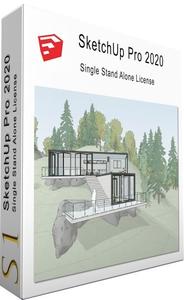 SketchUp Pro 2022 v22.0.316 (x64) Multilingual | 445.5 Mb SketchUp is useful from the earliest stages of design to the end of construction. Programming, diagramming, design development, detailing, documentation, RFIs wherever you need drawings, you need SketchUp Pro. 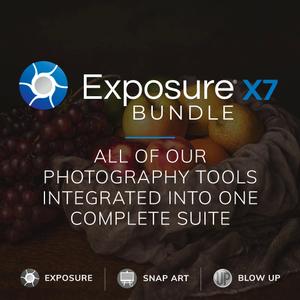 Exposure X7 7.1.1.159 / Bundle 7.1.1.89 (x64) | 480.2/514 Mb The new Exposure X7 combines professional grade photo adjustments, a huge library of gorgeous photo looks, and an efficient design that is a joy to use. 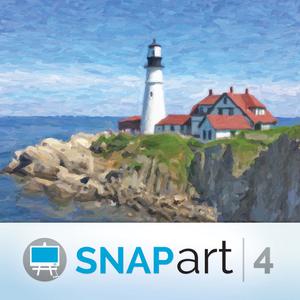 Exposure Software Snap Art 4.1.3.392 (x64) | 44.5 Mb Expand your palette of creative tools with Snap Art. Transforming your photographs into beautiful works of art has never been easier than with Snap Art 4. By analyzing the visual elements and techniques of artists through the centuries, we have designed Snap Art to produce images that look they were made by a human, not a computer.  Exposure Software Eye Candy 7.2.3.189 (x64) | 49.3 Mb Eye Candy 7 renders realistic effects that are difficult or impossible to achieve in Photoshop alone, such as Fire, Chrome, and the new Lightning. Effects like Animal Fur, Smoke, and Reptile Skin are rendered in exquisite detail down to individual hairs, turbulent wisps, and shiny scales.  Exposure Software Blow Up 3.1.4.399 (x64) | 38.2 Mb Blow Up keeps photos crystal clear during enlargement. Especially in large prints hung on a wall, the difference between Blow Up and Photoshop is astounding. Version 3 makes pictures even sharper without computer artifacts. If you understand Photoshop's resize command then you already know how to use Blow Up. Our large library of standard paper sizes makes it even easier. With Lightroom and CMYK support, Blow Up fits into a professional workflow. 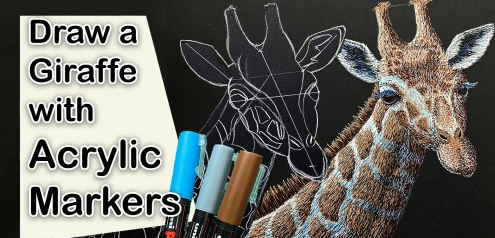 Acrylic Marker Giraffe Drawing - How to draw an animal with Paint Pens Home Page https://www.skillshare.com/classes/Acrylic-Marker-Giraffe-Drawing-How-to-draw-an-animal-with-Paint-Pens/1931080259 Genre / Category:Drawing & Painting File Size :2.4GB Product Details In this class we will be drawing a Giraffe using Uni-Posca Markers on black illustration board. Drawing this giraffe will give you great practice at learning to draw and shade. We'll start the class by sketching the giraffe using a white colored pencil. We will use a white pencil because it shows up well on the black illustration board (is you don't have a black illustration board or paper you may use white paper). After mapping out the main axis of the giraffe's neck and head we will fill out the rest of it.  YouTube For Beginners Complete Guide (Create Your First Video) Home Page https://www.skillshare.com/classes/YouTube-For-Beginners-Complete-Guide-Create-Your-First-Video/1674224173 Genre / Category:Film & Media File Size :1GB Product Details In this class, you'll learn everything you need to create your first YouTube video to share your message with the world. We'll work together to create your first ever video following my simple 3 step plan. |

 :
:
