
| |
|
|
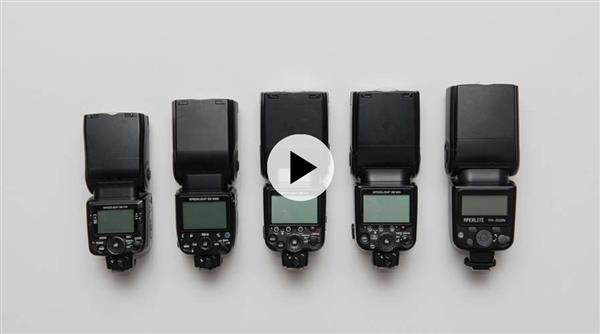 Introduction to Using Multiple Flashes with Mike Hagen Instructors: Mike Hagen | Duration: 5h 12m * 27 Lessons Video: MP4 1280x720 44 KHz | English | Size: 4.242 GB Take Control And Create The Best Lighting For Your Photography If you want complete control over the image you're taking, you need to use multiple flashes. Mike Hagen will take what appears complex and explain how to make it achievable to help get your studio lighting to an elite level.  INSYDIUM - X-Particles Maintenance Training Video: MP4 1920x1080 44 KHz | English | Duration: 5 courses | Size: 14 GB Tutorials - Constraints - ExplosiaFX - FlowField - Premium Training Special Access - XP Countdown This scene-based series is suitable for customers with basic particle knowledge; the chapters flow with logical progression. Intermediate level and advanced X-Particles users will benefit from the in-depth level of detail throughout the series.  MP4 | Video: h264, 1280x720 | Audio: AAC, 44.1 KHz, 2 Ch Genre: eLearning | Language: English + srt | Duration: 23 lectures (2h 51m) | Size: 1.28 GB Piping & Stress Analysis for UG  MP4 | Video: h264, 1280x720 | Audio: AAC, 44.1 KHz, 2 Ch Genre: eLearning | Language: English + srt | Duration: 21 lectures (3h 3m) | Size: 1.6 GB A Starting Point for Manufacturing Professionals to Understand Metals and Their Properties  Instructors: BILL BUCKLEY | Duration: 297 Minutes * 9 Lessons Video: MP4 1920x1080 44 KHz | English | Maya Premiere Unreal | Size: 1.7 GB If you're looking to create production-ready cinematics utilizing the power of the Unreal Engine, this workshop is for you. Bill Buckley guides viewers through the entire process of creating a cinematic using the mighty Sequencer tool in Unreal Engine, beginning with a review of the needs of the project before jumping into establishing the shots required. You'll discover techniques for blocking out establishing shots at the game level while always keeping cinematic principles in mind. 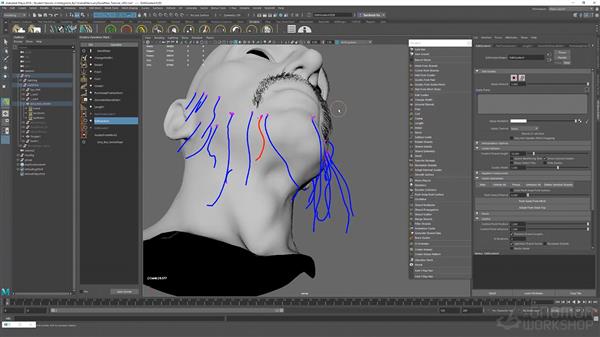 Instructors: SANTHOSH KONERU | Duration: 169 Minutes * 10 Lessons Video: MP4 1920x1080 44 KHz | English | Size: 1.2 GB This introductory workshop reveals everything you need to know to create hair for both animated characters and still renders using Ornatrix in Maya. Santhosh Koneru, a 3D Generalist, details all the basics as well as the essential tools required to generate realistic hair for your 3D characters. The focus of this video tutorial is on creating facial hair for a character that will eventually be animated. The workflow demonstrated can also be applied even if you only intend to render a still of your character for your portfolio. 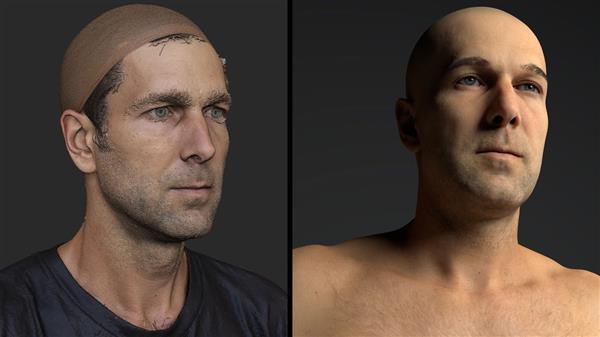 Cleaning Up Scanned Assets for Production with Scott Denton Instructors: Scott Denton | Duration: 248 Minutes * 15 Lessons Video: MP4 1920x1080 44 KHz | English | Size: 1.2 GB  Instructors: JANA SCHIRMER | Duration: 147 Minutes * 5 Lessons Video: MP4 1920x1080 44 KHz | English | SOFTWARE: Photoshop | Size: 1.2 GB In this workshop, Jana Schirmer shares her complete process of painting a Fantasy Illustration from start to finish in Adobe Photoshop using a workflow that she uses for almost all of her professional and personal work. Starting with ideation and reference gathering, she covers the initial sketch phase and preparation, colors and light, mixer brushes, photo-bashing, and final 2D rendering techniques. For artists looking to develop their digital painting skills, this title provides an opportunity to see how a leading illustrator efficiently approaches a painting using a variety of time saving techniques.  Navicat Premium 16.0.11 | macOS | 235 Mb Navicat Premium is a database development tool that allows you to simultaneously connect to MySQL, MariaDB, MongoDB, SQL Server, Oracle, PostgreSQL, and SQLite databases from a single application. Compatible with cloud databases like Amazon RDS, Amazon Aurora, Amazon Redshift, Microsoft Azure, Oracle Cloud, Google Cloud and MongoDB Atlas.  EMX (Expert Moldbase Extentions) 14.0.1.6 for Creo 8.0 | 378.2 mb Languages Supported: English, Deutsch Product:B&W Expert Moldbase Extension (EMX) Version:14.0.1.6 for PTC Creo 8.0 Supported Architectures:x64 Website Home Page :www.buw-soft.de Languages Supported:multilanguage System Requirements:Windows * Software Prerequisites:pre-install PTC Creo 8.0 Size:378.2 mb B&W Software, the leading global provider of add-on applications for the 3D-CAD System Creo Parametric, is pleased to announce the availability of Expert Moldbase Extension (EMX) 14.0.1.6 for PTC Creo 8.0. Use EMX to create a mold base as a regular assembly. |

 :
:
