
| |
|
|
MacOSX AppsMacOSX Apps offers a variety of free software and applications for macOS users. Whether you're looking for productivity tools, multimedia apps, or system utilities, you'll find everything you need to enhance your Mac experience. Our collection includes the latest, high-quality macOS apps that are regularly updated to ensure you always have access to the newest software. Whether for personal or professional use, MacOSX Apps has something for everyone. All apps are tested for compatibility and safety, so you can download with confidence. Browse our categories, use the search bar, and start enjoying a seamless experience with the best software available for macOS.  Slidepad 1.0.46 | macOS | 12 mb An iPad style slide over window for your web apps. No more hassle of window switching.  Scherlokk 4.4 | macOS | 6 mb Scherlokk is a lightning fast file search utility build for precise and reliable search of every file which meets the search criteria. Music, pictures, bookmarks, documents, etc can be found quickly and easily. Search can be made on any kind of build in volume, portable volume (pendrives, memory cards, USB drives), network drive (AFP, SMB, FTP), etc.  Logoist 4.2 Multilingual | macOS | 256 mb With Logoist 4 you can create impressive images and vector graphics - from simple layouts to sophisticated designs. Logoist 4 offers everything you'll need to make your creative ideas come to life or to spark new inspiration. Developed for both professional designers and graphic artists as well as beginners,  Cookie 6.5.7 Multilingual | macOS | 9 mb Cookie prevents third parties from hijacking your browsing experience. The sites you visit store "cookies" in your browser without your knowledge or consent. Some are helpful, but others are frustrating and invasive. Cookie can help.  CloudMounter 3.10 Multilingual | macOS | 50 mb CloudMounter is a cloud manager for easy work with data stored on multiple cloud services. CloudMounter makes working with multiple cloud storage services easy by letting you access and manage your data through your Mac's Finder. CloudMounter works with all popular services such as OneDrive, Google Drive, OpenStack Swift, Amazon S3 and Dropbox.  Barcode 2.1.3 | macOS | 24 mb Barcode is a professional barcode-making application, supporting all the major types of barcodes. Compared to other software of its kind, Barcode offers professional features like spot colors and bars width adjustment support. It also offers many barcode customization options that you hardly find anywhere else  A-Zippr 1.6 Multilingual | macOS | 22 mb A-Zippr is a simple, fast and powerful utility to open the zip, RAR and other archives like 7z, SIT, TAR, and 70+ different file formats and compress in 8 commonly used archive formats. It is handcrafted to make it most customizable to archive and unarchive files on MAC. 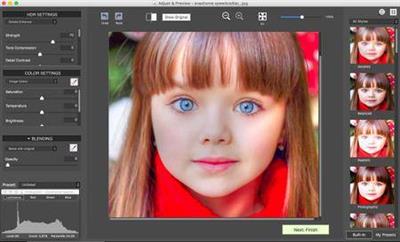 HDRsoft Photomatix Pro 6.3 macOS | 24.7 Mb Photomatix Pro merges photographs taken at varying exposure levels into a single HDR image that reveals both highlight and shadow details, with options for automatically aligning hand-held photographs, removing ghosts, and reducing noise and chromatic aberrations. Merged images can then be adjusted by a range of options and settings to get the look that users want - from natural-looking results using exposure fusion to painterly, surreal or ultra-realistic images using the tone mapping mode.  Stockfolio 1.8.1 | macOS | 9 mb Stockfolio is an investment app for macOS that allows you to research and track interesting stocks. It is extremely easy to set up and the best way to manage and follow your investment portfolio.  SideNotes 1.3.2 | macOS | 19 mb SideNotes keeps you from juggling with windows when searching for notes. The app always appears on top of other windows - you can easily hide it or pull it out from the side of your monitor with one click or with a keyboard shortcut. |

 :
:
