
| |
|
|
MacOSX AppsMacOSX Apps offers a variety of free software and applications for macOS users. Whether you're looking for productivity tools, multimedia apps, or system utilities, you'll find everything you need to enhance your Mac experience. Our collection includes the latest, high-quality macOS apps that are regularly updated to ensure you always have access to the newest software. Whether for personal or professional use, MacOSX Apps has something for everyone. All apps are tested for compatibility and safety, so you can download with confidence. Browse our categories, use the search bar, and start enjoying a seamless experience with the best software available for macOS. 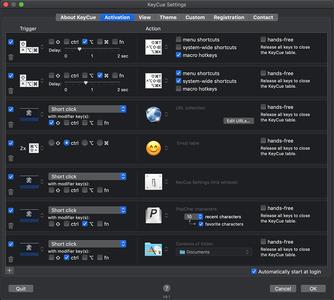 KeyCue 9.8 Multilingual macOS | 4.9 MB Languages: English, Deutsch, Français  Iridient Developer 3.5 | macOS | 32 mb Iridient Developer is a powerful RAW image conversion application designed and optimized specifically for (Mac OSX). Iridient Developer gives advanced photographers total control over their digital photographs, yet still provides easy drag and drop batch conversion and access to basic adjustments for the casual user.  InstaCal - Menu Bar Calendar 1.9.7 Multilingual | macOS | 8 mb InstaCal is an affordable, yet powerful calendar app that puts all your events right at your fingertips, always available in your Mac's menu bar. InstaCal is quick and convenient, and can be opened at any time with a configurable keyboard shortcut. From there you can view your calendar events, make changes, invite friends or even add new events.  iconStiX 4.0 | macOS | 6 mb iconStiX is an easy-to-use, fundamental icon tool that allows users to combine and attach images to desktop items. iconStiX is a simple program to combine images and attach composition as custom icon to desktop items such as folder. It is cooperated with the Finder's services, so that you can select "Open iconStiX" in the Finder's contextual menu to start the program.  iClip 5.5.4 | macOS | 34 mb iClip is the premier multiple-clipboard and scrapbook tool that enables you to keep a history of almost anything you copy, instead of only the last thing. iClip was designed to be accessed as simply as the Mac's Dock: just move your cursor to the side of the screen and iClip pops out for instant use.  iBarcoder 3.12 Multilingual | macOS | 18 mb The Cristallight iBarcoder is professional mac barcode generator for creating any number of individual, or sequential barcodes, printing them as colorful barcode labels in your own style, of any size, or shape, or exporting them as graphic image files in common vector and raster image formats.  iA Writer 5.6.4 | macOS | 22 mb iA Writer (was iA Writer Pro) is a professional writing suite that gives you full control over your notes, drafts and edits. 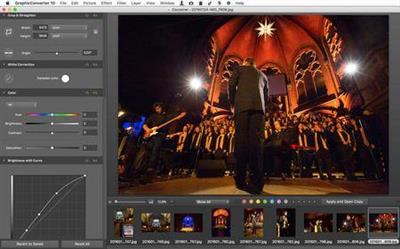 GraphicConverter 11.3.2 Multilingual macOS | 235 MB GraphicConverter has more than 1.5 million loyal users worldwide - from amateur photographers to professional designers. The Press has dubbed this program the equivalent of the "Swiss Army Knife" describing it as the "Universal Genius for photo editing on the Mac"  Geekbench 5.3.1 | macOS | 162 mb Geekbench provides a comprehensive set of benchmarks engineered to quickly and accurately measure processor and memory performance. Designed to make benchmarks easy to run and easy to understand, Geekbench takes the guesswork out of producing robust and reliable benchmark results.  FontLab 7.2.0.7614 Beta | macOS | 74 mb FontLab 7 for macOS is a modern, professional font editor, crafted for type designers and font geeks. It lets you create, open, modify, draw, space, kern, hint and export desktop, web, color and variable OpenType fonts for any Unicode writing system, from Latin, Cyrillic and Greek, to Arabic, Hebrew and Indic, all the way to Chinese, Japanese, emoji, symbols and icons. |

 :
:
