
| |
|
|
Free Software DownloadsLooking for reliable and free software downloads? You're in the right place! We offer a wide selection of trusted, free software for all your needs. Whether you need tools for multimedia, productivity, security, or development, our platform provides safe, up-to-date software downloads for various platforms. From operating systems and office tools to multimedia and security software, we have everything you need. Our collection is regularly updated, ensuring access to the latest software without any cost. Enjoy a smooth, hassle-free download experience. Our user-friendly interface allows you to easily find and download your software in just a few clicks. Plus, all downloads are thoroughly checked for safety, so you can be confident your device is protected from viruses and malware. 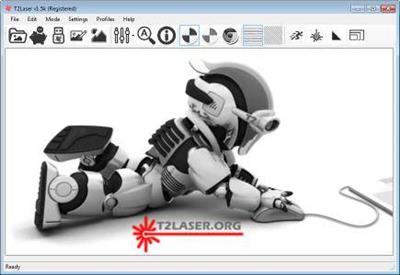 T2Laser 1.6a Multilingual (online install) | 3.2 Mb T2Laser is a Benbox replacement for Grbl based laser and CNC systems. It supports grey scale images, vector graphics and also has basic sketch features. You can add text to images, contour cut-out images or convert raster to vector and output it to the laser all in a single G-Code file. Advanced algorithms for photo engraving and clipart / logos, as well as multi-pass vector cutting capabilities. Resolution, speed and power are user defined so you can maximize quality while reducing the engraving time.  StudioLine Web Designer 4.2.59 Multilingual | 151 Mb StudioLine Web Designer 4 integrates the components for the design, publishing and maintenance of professional websites into a common user interface - page editor, image archive and editing, graphics effects, publishing control, template editor and site management.  StudioLine Photo Pro 4.2.59 Multilingual | 119.2 Mb StudioLine Photo Pro 4 is the highly effective software for the professional editing and management of large image collections in server-based networks. Of course, the RAW formats from all popular camera models are supported.  StudioLine Photo Classic 4.2.59 Multilingual | 119.3 Mb StudioLine Photo Classic 4 is a feature-packed software for conveniently managing and editing extensive image collections. Naturally all common file formats, including the RAW formats of the popular camera models are supported. 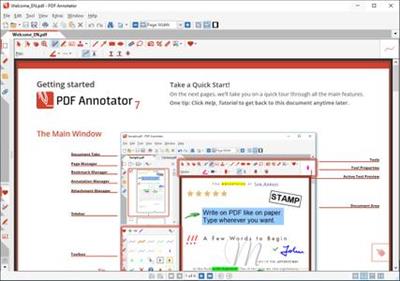 PDF Annotator 8.0.0.812 (x64) Multilingual | 92.2 Mb PDF Annotator lets the user open any PDF file and add annotations, using the mouse or a Tablet PC pen, directly on the PDF file's pages. The annotated documents can then be saved directly back to PDF format. In this way, anyone can read or print the annotated PDF documents. Annotated documents can also be easily attached to emails. 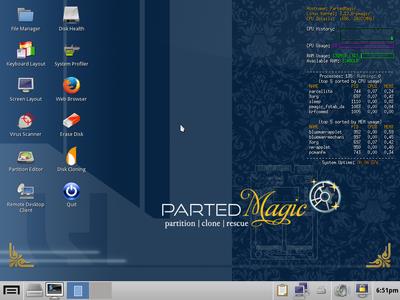 Parted Magic 2020.10.12 | 1.5 Gb Powerful Tools for Home or Office! - Parted Magic is a complete hard disk management solution. PartedMagic has the tools to get the job done. With the Partition Editor you can re-size, copy, and move partitions. You can grow or shrink your C: drive. Create space for new operating systems. Attempt data rescue from lost partitions.  PanFone Data Recovery 2.0.5 Multilingual | 64.4 Mb A carefully crafted data recovery software for iPhone, iPad, iPod Touch. Fully Support the latest iOS 14 and iPhone 11. 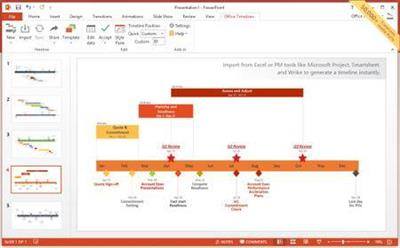 Office Timeline Plus / Pro Edition 4.06.02.00 | 18.6 Mb Quickly create professional project visuals that showcase your work and impress customers, colleagues, and managers. Office Timeline is the only Gantt chart and timeline maker software built for Knowledge Workers, right inside Microsoft PowerPoint. It easily produces elegant Gantt charts and timelines that no other application can match. 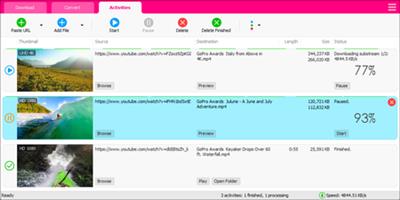 Muziza YouTube Downloader Converter 7.15.0 | 23.1 Mb YouTube Downloader Converter is a tool that facilitates an attractive interface and plenty of features to help you download video clips from YouTube, Facebook, Dailymotion, Instagram and other websites.  Markdown Monster 1.24.12 | 18.5 Mb Markdown Monster is a Markdown editor and viewer that lets you edit Markdown with syntax highlighting and fast text entry. A collapsible, synced, live preview lets you see your output as you type or scroll. Easily embed images, links, emojis and code using Markdown text or use our gentle UI helpers that simplify many operations with a couple of keystrokes. Paste images from the clipboard or drag and drop from Explorer or our built-in folder browser. Inline spell-checking and word counts keep your content streamlined unobtrusively. |

 :
:
