Genre: eLearning | MP4 | Video: h264, 1280x720 | Audio: AAC, 44.1 KHz Language: English | Size: 2.54 GB | Duration: 2h 8m 3D Swipe Puzzle Video Game Design Course
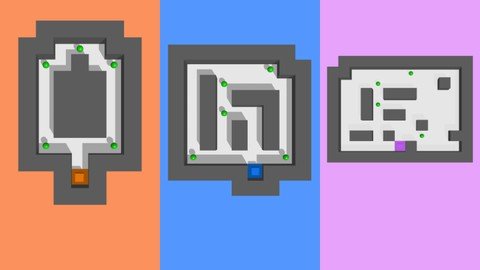
What you'll learn You will learn to make a complete 3D Swipe Puzzle Video from scratch. We will start with a blank slate and create 3 worlds together. You will learn to create Game Worlds, Characters, User Interfaces, Enemies, Animations, and Win/Lose Conditions. You will learn how to do UI Transitions, Point Systems, Health System and more! You will learn how to do all this without any coding whatsoever! Description My name is Zack Griset and I am one of the original members of the Buildbox team. I have been teaching Buildbox for 5 years and I absolutely love teaching people how to make video games super fast. In this course, you will learn to make a 3D Swipe Puzze video game with the Buildbox software in around 2 hours! Here is what will be covered in this course: Lesson 1 - Getting Started Download the Buildbox Video Game Development Software Create Floor 1 as the Platform For Our First World Create Walls For Our World Learn About the Different Physics Types Create Your Main Character Create Swipe Controls and Keyboard Controls For the Character Manipulate the Game Camera Learn How to Navigate the Software Learn How to Change Your View Inside the Scene Editor Lesson 2 - Completing Our First World Change the Floor's Color When the Character Collides With It Create Win Parameters by Using a Health Trick Create a Win User Interface and Menu Jump Manipulate Collision Shapes Lesson 3 - Creating a Point System Create a Point System and Add Points to Our World Export a .bbasset Point Label and Add it to Our World UI Create a Score Label to Track Points and Display Them Lesson 4 - Creating Our Second World Create a New Character Build a Second World Create Specific Sized Walls Troubleshooting Techniques Lesson 5 - Creating Our First Enemy Add Spike Enemies Create a Trigger So That the Spikes Rise At a Specific Time Lesson 6 - Creating a Game Over User Interface and Defeated Animation For Our Character Create a Game Over UI Create a Defeated Animation Lesson 7 - Creating Our Third World Build Out World 3 Create a New Character Navigation Between Worlds Lesson 8 - Adding Enemies to Our Third World Add Spike Enemies and Triggers Create Win Parameters Lesson 9 - Creating UI Transitions and a New Enemy Create Nice UI Transitions to Add Polish Create a New Trap Door Enemy Bonus - Playing Your Game On a Device Create an App Icon Playing Your Game On a Device Who this course is for: This course is for anyone who wants to learn how to start making video games.