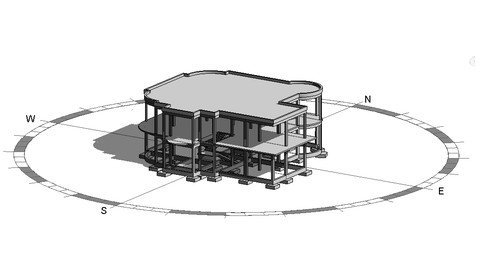
Genre: eLearning | MP4 | Video: h264, 1280x720 | Audio: AAC, 44.1 KHz Language: English | Size: 2.65 GB | Duration: 3h 59m Step-by-Step Complete Shop Drawing (Formwork) for RC Building from A-Z using Revit 2022
What you'll learn Import Architectural plans from DWG to Revit Building a complete model of a two-story villa Create a bill of quantity for all the project elements Add dimension and Tag to all elements Create a professional shop drawing sheets Print sheets to PDF Export sheets & the 3D model to DWG Description Hello, welcome to Revit Structure 2022 : Step-by-Step Complete Shop Drawing for RC Building from A to Z (Formwork) Divided into five main chapters, our course covers all aspects of Revit Structure, to help you master Building Models, Schedules and Quantities, Dimension and Tag, Sheets, print PDF and Export from Revit to DWG. The use of Revit Structure will be explained through direct application on a simple concrete project, starting from import Architectural Plans, to produce a professional structural shop drawing (formwork). To get the most out from the course, it is preferable to open Revit and start applying step by step with videos. Finally, at the end of the course , you will be ready to start your own project using Revit and prepare all shop drawing (formwork) professionally. What you will learn in this course ? Create new project Load Templates from Revit Library Editing Project Units Creating Levels Importing and Scaling a DWG File into Revit Adding Structural Grids Adding Structural Columns Creating Column Family Plan View & View Range Adding Structural Beams Adding Structural Slab Creating Stair (Model In-Place) Adding Foundation Loading round column from Revit Library Modify tools ( Align, Offset, Mirror, Split, Pin and Unpin, Trim/Extend, Move and Copy) Join options ( Join Geometry, Unjoin Geometry, Switch Join Order) Spot Elevation Set Work Plane Visibility/ Graphic Copy to selected views/levels Duplicate View Drafting View Structural plan view (Up & Down) Section Box Schedules/Quantities Material Takeoff Identity Of Elements (Comments) Schedule Properties ( Fields, Filter, Sorting/Grouping, Formatting/Appearance) Foundation Schedule Columns Schedule Beams (Framing) Schedule Duplicate Schedule Slab Schedule Stair Schedule Edit Schedule Annotate options ( Tag, Dimensions, Text & Detail) Create Sheet & Title Block Edit Title Block Text & Label Adding structural plans into sheets Adding Schedules into sheets Adding Drafting View (Detail) into sheets Creating Section Print to PDF (Print Type, Paper Size, Print Range) Export Sheets to DWG Export 3D view to DWG Who this course is for: Anyone interested in structural engineering