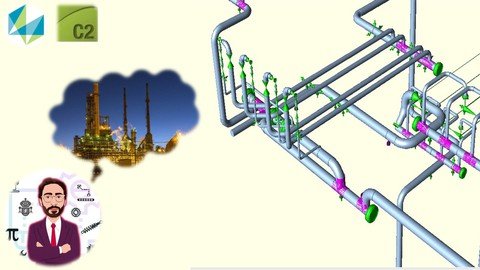
Last updated 8/2021 MP4 | Video: h264, 1280x720 | Audio: AAC, 44.1 KHz Language: English | Size: 471.25 MB | Duration: 0h 47m Learn Basics of Ceasar II How to model a 3D piping system, fix different types of Anchors, Supports then Stress Analysis
What you'll learn How to Use Caesar How to make a 3D modeling Piping ( tuyau) How to add Anchors, Flage pairs, bends, supports, valves etc. How to make an animation with caesar How to make and interprete a pipe Stress Analysis Requirements No requirements needed Description This Course in an introduction for any one who wants to start his career or to develop himself as a petroleum and piping, pipe ( tayau plomberie ) engineer with caesar II moving through constraction materials ( matériaux de construction) . This course will give you all the necessary tools to start using Caesar 2 and applying different types of pipe Stress Analysis Part 1Learn Basics of Ceasar II How to model a 3D Piping system, Bends and how to manage Caesar iiPart 2How to choose different types of Anchors, Supports, Hangers in Caesar 2 etc.Part 3Application of a pipe Stress Analysis (According to ASME B31.3) through out an Isometric Drawing Part 4Interpretation and ModificationThis Course in an introduction for any one who wants to start his career or to develop himself as a petroleum and piping, pipe ( tayau plomberie ) engineer with caesar II moving through constraction materials ( matériaux de construction) . This course will give you all the necessary tools to start using Caesar 2 and applying different types of pipe Stress Analysis Part 1Learn Basics of Ceasar II How to model a 3D Piping system, Bends and how to manage Caesar iiPart 2How to choose different types of Anchors, Supports, Hangers in Caesar 2 etc.Part 3Application of a pipe Stress Analysis (According to ASME B31.3) through out an Isometric Drawing Part 4Interpretation and Modification Overview Section 1: Introduction Lecture 1 Introduction: Let's get Started Lecture 2 Start new Project & Start modeling Lecture 3 Add pipe geometry Lecture 4 Anchor Modeling Lecture 5 Adding Bends Lecture 6 Insert Nodes Lecture 7 Insert Multiple Nodes Lecture 8 How to Modify Units Lecture 9 Changing Coordinations Lecture 10 Changing Global Coordinate Section 2: Adding Rigid Accessories and Supports Lecture 11 Changing Parameters & inster a Tee Lecture 12 Adding Reducer Lecture 13 Adding Flange Pair Lecture 14 Adding valves Lecture 15 Adding Vertical Support Lecture 16 Adding Guides Lecture 17 Line Stop & Hanger Lecture 18 Add Nozels & Check errors Section 3: Stress Analysis Lecture 19 Modeling Piping through Isometric Drawing Lecture 20 Stress Analysis Interpretation & Animation Lecture 21 Modification Lecture 22 Bonus Individuals intending to learn the basics of Caesar 2,Individuals intending to learn Caesar II Stress Analysis,Individuals intending to learn Caesar 2 Animation,People who want to use Caesar II Specific Features for Job, educational puposes or anything else