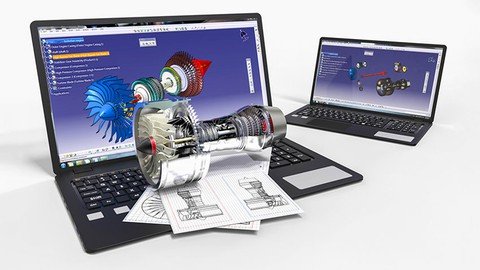
Last updated 11/2021 MP4 | Video: h264, 1280x720 | Audio: AAC, 44.1 KHz Language: English | Size: 3.66 GB | Duration: 7h 33m Learn How To Create Parts, Assemblies, Drawings And Simulations
What you'll learn Create Simple to Indermediate 3D Models Create Assemblies Create Drawings Create Simulation Requirements CATIA V5 Basic PC Skills No need previous CATIA experience Description This is basics to intermediate CATIA course. All you need to know to become confident user and become ready to employ your skills in industry environment. Course starts from sketching through creating 3D objects, assemblies and drawings creation to simulation. Basically, it covers full process of model creation to the final stage of presenting a model with real life images or animation videos. Upon completion you'll be able to carry CATIA in your hands safely and autonomously.What is CATIA?CATIA is the world's engineering and design leading software for product 3D CAD design excellence. It is used to design, simulate, analyze, and manufacture products in a variety of industries including aerospace, automotive, consumer goods, and industrial machinery.What this course covers?1. How to get around in CATIA application and how to create a CATIA file. Next step is sketching where are explained sketch tools (Line, Circle, Rectangle, Slot, Spline, Corner...).2. How to use those sketches to create a 3D model. All main tools for working with 3D model are explained (Pad, Pocket, Shaft, Shell, Draft...).3. How to use parts to create assembly. How to define relations between parts in assembly using constraints (Coincident, Contact, Offset, Angle...).4. How to create engineering drawings. Different drawing views, how to put dimensions, how to use symbols such as surface finish and welding.5. How to apply material to models.7. How to use DMU Kinematics and how to create simulations. What makes this course different?1. It covers all important tools and techniques necessary to become competitive CATIA user today.2. Exercises after each chapter will build confidence in your skills.3. No experience. This course will teach you from zero. You don't need to have experience at all.With this knowledge that you will gain here you will be ready to dive into the industry environment and work on basic to intermediate design problems.If you find that any of this would beneficial for you and will help you to achieve your goals, ENROLL and begin your CAD journey! Overview Section 1: WELCOME Lecture 1 About The Course Lecture 2 Note! Important! Section 2: INTRODUCTION TO CATIA Lecture 3 Workbenches Lecture 4 User Interface Lecture 5 Mouse Manipulation Lecture 6 Save/Open File Section 3: SKETCHER WORKBENCH Lecture 7 Profile Lecture 8 Line Lecture 9 Rectangle Lecture 10 Circle And Arc Lecture 11 Spline And Ellipse Lecture 12 Point Lecture 13 Corner And Chamfer Lecture 14 Mirror, Symmetry, Rotate, Translate, Scale And Offset Lecture 15 Trim And Break Lecture 16 Constraint Lecture 17 Example 1 Lecture 18 Example 2 Lecture 19 Example 3 Lecture 20 Example 4 Lecture 21 Example 5 Lecture 22 Example 6 Lecture 23 Example 7 Lecture 24 Example 8 Lecture 25 Example 9 Section 4: PART MODELLING WORKBENCH Lecture 26 Pad Lecture 27 Pad Options Lecture 28 Pocket Lecture 29 Pocket Options Lecture 30 Thick Option In Pad And Pocket Lecture 31 Multipad And Multipocket Lecture 32 Shaft And Groove Lecture 33 Hole Lecture 34 Rib And Slot Lecture 35 Drafted Filleted Pad And Pocket Lecture 36 Plane Lecture 37 Stiffener And Solid Combine Lecture 38 Multisection Solid Lecture 39 Point Lecture 40 Line Lecture 41 View Toolbar Lecture 42 Fillet Lecture 43 Draft And Chamfer Lecture 44 Shell Lecture 45 Multibody Part Lecture 46 Boolean Operations Lecture 47 Rectangular Pattern Lecture 48 Circular Pattern Lecture 49 User Pattern Lecture 50 Mirror Lecture 51 Translation, Rotation And Symmetry Lecture 52 Project 3D Elements, Intersect 3D Elements And Project 3D Silhouette Edges Lecture 53 Scale And Afinity Lecture 54 Thickness, Remove And Replace Lecture 55 Measure Lecture 56 Edit Lecture 57 Example 1 Lecture 58 Example 2 Lecture 59 Example 3 Lecture 60 Example 4 Lecture 61 Example 5 Lecture 62 Example 6 Lecture 63 Example 7 Lecture 64 Example 8 Lecture 65 Example 9 Section 5: VISUALIZING Lecture 66 Lights Lecture 67 Material Section 6: ASSEMBLY Lecture 68 Assembly Structure Lecture 69 Manipulation Lecture 70 Inserting Parts Lecture 71 Constraints Lecture 72 Change And Deactivate Constraint Lecture 73 Replacing Part Lecture 74 Clash/Explode/Sectioning Lecture 75 Reuse Pattern And Symmerty Lecture 76 Subassembly Lecture 77 Top - Down Assembly Lecture 78 Example Section 7: DRAWINGS Lecture 79 Drawing Sheet Creation Lecture 80 Front/Projection/Auxiliary/Isometric Views Lecture 81 Miscellaneous Views Lecture 82 View Properties Lecture 83 Dress Up Tools Lecture 84 Dimensions Lecture 85 Annotations Lecture 86 Exploded View Lecture 87 Title Block And Printing Section 8: KINEMATICS AND ANIMATION Lecture 88 Kinematics Lecture 89 Simulation Section 9: REAL WORLD EXAMPLES Lecture 90 Bottle Lecture 91 Ventilator Lecture 92 Cup Lecture 93 Screwdriver Section 10: CONCLUSION Lecture 94 Congratulations Lecture 95 Bonus Lecture Beginners,Students,Engineers,Anyone interested in 3D modeling