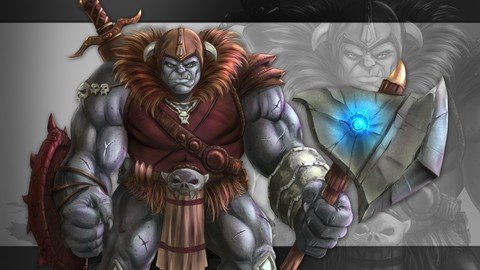
Last updated 3/2022 MP4 | Video: h264, 1280x720 | Audio: AAC, 44.1 KHz Language: English | Size: 2.48 GB | Duration: 10h 46m A complete step by step guide to illustrating fantasy art elements and characters.
What you'll learn By the end of this course you will be able to draw and paint a variety of imaginative concepts. You will be able to construct a complete character design from sketch to finish paint. Requirements You should have a drawing tablet with pressure sensitivity. Description In this course you will learn how to digitally draw and paint a variety of fantasy art elements. You will learn how to create magical weapons, rock formations, power effects, foliage, and a fully detailed character step by step. You will be given all sorts of neat tricks and techniques to create this type of artwork while using the very powerful and affordable program Manga Studio 5 / Clip Studio Paint. This course starts with the basic elements and allows you to grow at your own pace until you are ready for the full character creation by the end. You will also get all the art files and custom brushes to study along with. I am here if you have any questions or feedback for me! Thank you for visiting my course and good luck with your studies! Overview Section 1: Introduction to this Course Lecture 1 Introduction Section 2: Painting a Basic Rock Formation Lecture 2 Defining the Shape of Our Rock Formation Lecture 3 Apply Basic Paint Effects Lecture 4 Applying Some Color to the Rock Formation Lecture 5 Using the Combine Modes to Enhance the Colors Section 3: Drawing and Painting Fantasy Art Weapons Lecture 6 Sketching Our Weapon Concepts Lecture 7 Cleaning up Our Line Work Lecture 8 Creating Our Selections in the Sword Lecture 9 Applying Paint and Texture to the Sword Lecture 10 Applying Paint to the Blade of the Sword Lecture 11 Repeating These Techniques on the Axe Design Section 4: Painting a Fantasy Art Tree Lecture 12 Blocking in the Silhouette of the Tree Design Lecture 13 Blocking in the Larger Shapes of Shadows Lecture 14 Start Adding in Form Working from Large to Small Lecture 15 Using Quick Mask to Adjust the Artwork Lecture 16 Drawing in Smaller Details with the Pencil Tool and Blending Lecture 17 How to Create and Use a Grass Texture Brush Lecture 18 Adding in Texture and Contrast to Our Painting Lecture 19 Refining Our Light Source Details Lecture 20 Adding in More Details to the Work Lecture 21 Changing the Face to Our Fantasy Art Tree Lecture 22 Finalizing Our Painting and Adding Some Last Minute Details Section 5: Painting a Mountain Landscape Lecture 23 Layering the Rock Formations and Blocking in the Background Lecture 24 Adding in Some Soft Shadows and Volume to the Scene Lecture 25 Cutting in Smaller Shapes and Details with Contrast Lecture 26 Adding in Finer Details and Textures Lecture 27 Detailing the Clouds Lecture 28 Final Adjustments to the Work Section 6: Drawing and Painting an Ogre Character Lecture 29 The Rough Sketch Lecture 30 Adding Details to Our Character Sketch Lecture 31 Cleaning up the Line Work Lecture 32 Creating Our Silhouette Selection Lecture 33 Flatting in the Colors Part 1 Lecture 34 Flatting in the Colors Part 2 Lecture 35 Painting in the Broad Strokes Lecture 36 Painting the Leather Areas Lecture 37 Painting the Shield Lecture 38 Adding Shadows and Highlights to the Muscles Lecture 39 Painting in Hard Edge Shadows Lecture 40 Detailing the Fur Areas Lecture 41 Cleaning up the Edges Lecture 42 Detailing the Axe Lecture 43 Detailing the Hand and Wrist Armor Lecture 44 Painting the Leg Armor Lecture 45 Refining the Edges Lecture 46 Painting Imperfections in the Skin Lecture 47 The Final Touches Section 7: Q + A Section Lecture 48 How to Install Custom Brushes in Clip Studio Paint / Manga Studio 5 Section 8: Practice Activities + Resources Lecture 49 Study Sheet for Painting a Face Lecture 50 Bonus Lecture Anyone that wants to know how to better create fantasy art creatures and elements.,Anyone that wants to better understand the tools within Manga Studio 5 / Clip Studio Paint.