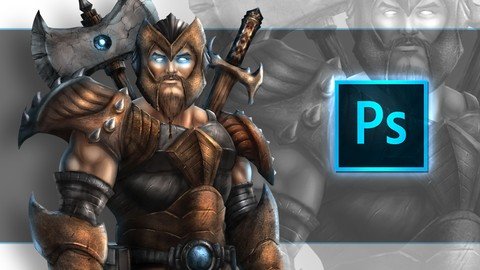
Last updated 8/2018 MP4 | Video: h264, 1280x720 | Audio: AAC, 44.1 KHz Language: English | Size: 1.55 GB | Duration: 7h 39m Create stunning concept art with Adobe Photoshop and learn the features to aid in that process.
What you'll learn By the end of this course the students will be able to use Photoshop tools more effectively to create their own digital paintings. Students will have a firm understanding of how to apply textures through their paintings to enhance the look and feel of their artwork. Requirements Basic understanding of Photoshop and a drawing tablet. I am using a Wacom Intuos 4 to create this art. Description In this 6.8 hour course you will learn how to use Adobe Photoshop CC to better create your digital art. This course has 27 lessons that move you through the entire process of creating a fully rendered character in full detail. ( Bonus Content ) 3 Additional lectures on painting wood, fire, and ice. Run time is 45 Minutes and includes the PSD file to study from. In the first section you will learn the tools that I use and how I use them. You will learn about the layers and groups, the selections tools, dodge and burn, custom brushes and settings, blending modes, adjustment layers, layer styles, quick mask, and much more. You will then move through the illustrative process with me from the rough sketch to the digital painting. We will start with a pre-drawn pose that I have supplied and we work out the concept from there. You will learn how to rough sketch your ideas without jumping in too fast with refinements. This course can be completed with any drawing tablet. I am using a Wacom Intuos 4 to create this art and although I will be mentioning things about that device you can use any tablet with pressure sensitivity. Mainly so the brushes will react in the way that I explain them. I have designed this course to be a basic approach for beginner and intermediate digital painters to learn from. I created in the way that I would want to learn. This will not teach you everything about Photoshop but it will give you a firm understanding of how I use it to create my digital paintings every day. Bonus Content - With this course you get all the art files and my full Photoshop custom brush set ( 50 Pack ) to work along with. I am here if you have any questions and I would value your feedback so that I can continue to create better products for everyone. Thank you for your support. Good luck with your studies! :) Robert A. Marzullo Ram Studios Comics Overview Section 1: Getting Started - Tools and Interface Lecture 1 Layers and Groups Lecture 2 Custom Brushes and Settings Lecture 3 How to Use the Selection Tools Lecture 4 Using the Quick Mask Feature Lecture 5 Using the Pen and Path Tool Part 1 Lecture 6 Using the Pen and Path Tool Part 2 Lecture 7 Blending Digital Paint Section 2: Creating Our Concept Art Lecture 8 Sketching the Concept Art Lecture 9 Refining the Sketch Lecture 10 Using Liquify and Warp to Edit Your Artwork Section 3: The Painting Process Lecture 11 Applying the Base Colors Lecture 12 Applying the Base Colors - Part 2 Lecture 13 Applying Paint and Texture to the Gold Armor Lecture 14 Adding Highlights with the Dodge Tool Lecture 15 Adding Texture on the Gold Armor Lecture 16 Adding Texture on the Burgundy Armor Lecture 17 Adding Texture on the Chest Plate Armor Lecture 18 Creating and Applying a Pattern to Your Character Lecture 19 Creating a Pattern for Your Characters Armor Lecture 20 Painting the Skin Tone Lecture 21 Painting the Skin Tone - Part 2 Lecture 22 Detailing the Weapons Section 4: Final Adjustments to the Work Lecture 23 Cleaning up the Edges with the Blur Tool Lecture 24 Cleaning up the Edge with Paint Work Lecture 25 Cleaning up the Edges with Paint Work Part 2 Lecture 26 Using Adjustment Layers to Enhance the Work Lecture 27 Final Adjustments to the Work Section 5: Bonus Lecture on Painting Wood - Fire - Ice Lecture 28 Wood - Fire - Ice Part 1 Lecture 29 Wood - Fire - Ice Part 2 Lecture 30 Wood - Fire - Ice Part 3 Lecture 31 Bonus Lecture Anyone who wants to better understand how to use Photoshop to create their concept art or character design.