Last updated 1/2020 MP4 | Video: h264, 1280x720 | Audio: AAC, 44.1 KHz Language: English | Size: 4.93 GB | Duration: 6h 3m Intermediate and advance Jewellery Designing Techniques in Rhino 3D
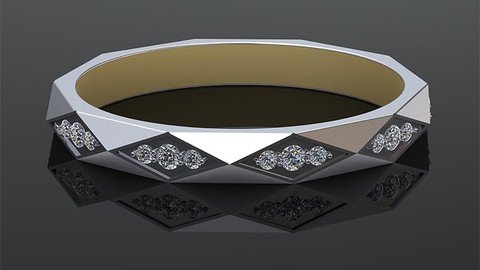
What you'll learn Get to know fundamental and advance Jewelry techniques for designing jewelry with computer and CAD software Increase ability to work as a Jewelry CAD designer or Jewellry CAD Technician in jewelry companies or be self-employed Design CAD models within the metrics of scale, proportion and element relationships Requirements Basic knowledge of Rhino 6 Complete the fundamental course: Jewellery Design in Rhino By Hamed Arab Description In this course, you will learn how to design jewellery by using CAD software ( Rhino 3D ). This course covers the skills needed to become a CAD designer. The projects help you convert sketches to 3d models and bring them to the real world by using 3D printers and casting. Activities in this training allow you to practise the materials. These are the skills that are possible to influence possible employers and clients.Here you will learn intermediate and advance modelling tools. So, if you do not have jewellery background or CAD modelling, we suggest you watch the fundamental modelling jewellery in rhino course published on Udemy by Hamed Arab. Overview Section 1: Introduction Lecture 1 What you should know before starting Lecture 2 CUSTOMISE YOUR WORKSPACE Section 2: Men Facet Band Lecture 3 Analysing the design Lecture 4 Creating frames of the ring Lecture 5 Band's facets. Lecture 6 Gem layout Lecture 7 Creating gem cutters Lecture 8 Creating channel cutter Lecture 9 Subtract cutters form the band Section 3: Cathedral Ring Lecture 10 Introduction of Cathedral Ring Lecture 11 Adding stone, ring rail and claws Lecture 12 Creating the gallery rail Lecture 13 Draw Claw's curves-Blend Curve Lecture 14 Create Claw's Surface Lecture 15 Creating shank's profiles Lecture 16 Making shank's curves Lecture 17 Create shank's Surface Lecture 18 Modifying the surface of the shank Lecture 19 Split the shank Lecture 20 Creating hollow in the ring Lecture 21 Making the bridge Lecture 22 Editing the bridge Lecture 23 COmplete the head Lecture 24 Stone setting part 1 Lecture 25 Stone setting part 2 Lecture 26 Stone setting part 3 Lecture 27 Stone setting part 4 Lecture 28 Stone setting part 5 Lecture 29 Stone setting part 6 Lecture 30 Complete the project Section 4: Love Ring Lecture 31 Project Introduction Lecture 32 Making the ring Lecture 33 Unroll the surface Lecture 34 Flow along surface Anyone who wants to learn designing jewelry or likes making jewelry,Junior and senior Jewelers, Silversmiths, Jewelry designers,3D modelers who want to learn jewelry techniques that are needed for jewelry Designing with computer,Artist, Product designers, Architectures and engineers