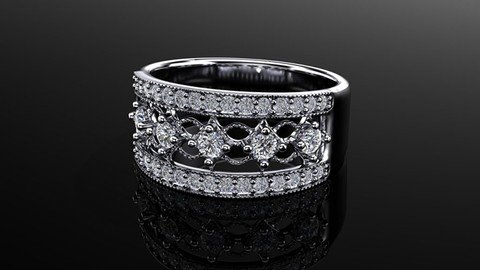
Last updated 3/2022 MP4 | Video: h264, 1280x720 | Audio: AAC, 44.1 KHz Language: English | Size: 3.08 GB | Duration: 5h 13m Fundamental Jewellery Designing Techniques in Rhino 3D
What you'll learn Learn Rhino from basic Design CAD models within the metrics of scale, proportion and element relationships Get to know Jewellery standards and techniques for designing jewellery in CAD software. Increase ability to work as a Jewellery CAD designer or Jewellery CAD Technician in jewellery companies or be self-employed Requirements Laptop or PC capable of Running Rhino Version 5 or above for Windows Description In this course, you will learn how to design jewellery by using CAD software ( Rhino 3D ). This course covers the skills needed to become a CAD designer. The projects help you convert sketches to 3d models and bring them to the real world by using 3D printers and casting. Activities in this training allow you to practise the materials. These are the skills that are possible to influence possible employers and clients.Here you will learn from the basic. So, if you do not have jewellery background or CAD modelling, don't worry. This course explains jewellery techniques which you need to know to create castable 3D models of jewellery. Overview Section 1: Introduction Lecture 1 Introduction Section 2: Getting Started Lecture 2 Interface Lecture 3 Navigation Lecture 4 Layers Lecture 5 Object Snap ( OSnap) Lecture 6 Gumball Lecture 7 Rhino's Templates Lecture 8 Rhino Options Lecture 9 How Import and Export Options? Section 3: Making a Band ( Wedding ring ) Lecture 10 Wedding Band Section 4: Snowflake pendant Lecture 11 Curve Drawing- part 1 Lecture 12 Curve Drawing- part 2 Lecture 13 Extrude curves Lecture 14 Making a Bail for the Pendant Section 5: Flush Setting Band ( Ring) Lecture 15 Diamond Anatomy Lecture 16 Flush setting principles Lecture 17 Drawing Ring Rail and Cros-section Lecture 18 Making a ring by using a cross-section and a ring rail Lecture 19 Making Flush Setting Cutter Lecture 20 Setting Gems Lecture 21 Boolean Section 6: Butterfly Pendant ( Claw Setting ) Lecture 22 Picture Frame Lecture 23 Curves Drawing Lecture 24 Drawing inside Curves Lecture 25 Extude Lecture 26 Create the main body Lecture 27 Mirror wings Lecture 28 Modelling Other parts Lecture 29 Prong (Claw)_setting Lecture 30 Gem Setting Section 7: Eternity Princess band ( Channel Setting ) Lecture 31 Eternity Band_Start Lecture 32 Eternity Band_Bridge Lecture 33 Eternity Band_Boolean Section 8: Solitaire Ring Lecture 34 Introduction Lecture 35 How to make a rope wedding Band Lecture 36 Claw Setting: Making the Claws Lecture 37 Claw Setting: Making the Bezel and Export for 3D printing Section 9: How to design a signet ring in Rhino Lecture 38 Introduction Lecture 39 Creating curves Lecture 40 Creating profiles Lecture 41 Creating the surface by using Networksrf command Lecture 42 How to make a solid object Lecture 43 Creating the bottom part of the shank Section 10: Tips and Tricks Lecture 44 Finger Sizing Section 11: Bonus Section Lecture 45 Bonus lecture Complete beginners who are willing to be Jewellery CAD Designer,Anyone who wants to design jewellery or likes making jewellery,Junior and senior Jewellers, Silversmiths, Jewellery designers,3D modellers who want to learn jewellery techniques that are needed for jewellery Designing with computer,Artist, Product designers, Architectures and engineers