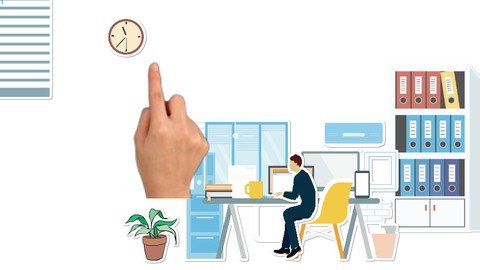
What you'll learn Learn how to make beginners to advanced Mango Whiteboard Animation Maker whiteboard videos easily. Learn all the tools in Mango Whiteboard Animation Maker to make engaging videos. Learn to create various backgrounds and apply professional effects to your video projects. Be able to use various templates to quickly speed up your workflow Requirements A computer Internet access Access to Mango Whiteboard Animation Maker software Description Take your videos to the next level with Mango Whiteboard Animation Maker. Learn to create Professional level whiteboard Animation videos in seconds using the free Whiteboard Animation Maker software that is often preferred to the likes of Animaker and Doodly.Mango Whiteboard Animation Maker is free to use and has various plans such as the professional and enterprise plan if you want to upgrade. It is much more affordable than its competitors and it gives its users much more flexibility in regard to the quality of videos that the software can produce. The software is very easy to use and is also a one-time purchase which also comes with frequent updates.The goal of this course is to aid you in taking your videos to the next level by giving you a solid foundation in regard to being able to use the tools and features that the software has to offer. Whether you are a student or professional looking to create to high level content this course has you covered. We will go through the website, how to get the most out of the software, how to download the software, all the important tabs and functions and how to use all of them effectively to carryout your creative vision. Overview Section 1: Introduction Lecture 1 What is Mango Whiteboard Animation Maker Lecture 2 How to download Mango Whiteboard Animation Video Maker Lecture 3 How to get the most out of this course Lecture 4 Starting a new project Section 2: Basic Tabs Lecture 5 File tab Lecture 6 Edit tab Lecture 7 Action tab Lecture 8 Help tab Lecture 9 Home Lecture 10 New Lecture 11 Save Lecture 12 Config Lecture 13 Preview Lecture 14 Publish Lecture 15 Adding Image Lecture 16 Adding Shape Lecture 17 Adding Text Lecture 18 Adding Decoration Lecture 19 Sound & Libary tab Section 3: Timeline & toolbar Lecture 20 Basic Toolbar Lecture 21 Action Line Lecture 22 Camera Line Lecture 23 Transition Effects Line Lecture 24 Stage Effects Line Lecture 25 Background Line Lecture 26 Caption Line Lecture 27 Sound Line Lecture 28 Characters Line Lecture 29 Record function Lecture 30 Tagging Effect Lecture 31 Canvas and timeline controls Beginner Mango Whiteboard Animation Maker users.