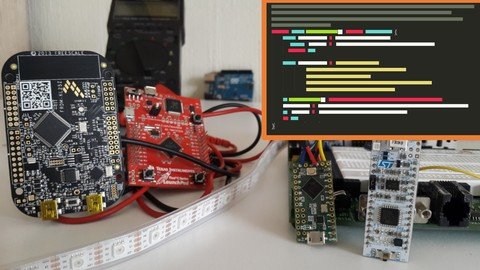
Last updated 6/2020 MP4 | Video: h264, 1280x720 | Audio: AAC, 44.1 KHz Language: English | Size: 1.33 GB | Duration: 5h 57m Learn how to write better code for your embedded hardware or IoT projects like professionals, not beginners, do.
What you'll learn Create professional grade embedded applications. Produce embedded applications employing THE most widely used programming language ever. Benefit from a wide variety of C compiler and preprocessor tricks to help you make better embedded applications. Requirements You should know Basic Microcontroller Programming. This course assumes you know how to program, so general good programming practices are assumed and not enforced in this course (meaningful variable names, commenting your code, indentation, etc.) You should at least be familiar with the C Programming Language (Good news, just so you know: The Arduino uses C). Description In this fourth part of the Beyond Arduino series, you'll learn many techniques to produce more efficient and professional embedded applications. It's time to leave the toy programs behind. You'll learn how to handle memory-attached hardware registers properly, how to perform bitwise manipulation of data, how to handle interrupts on your microcontroller development platform, and many other techniques which you aren't always aware of because of the immense body of elements that conceal the details in many beginner platforms, like the Arduino, for the sake of simplicity. You'll also learn how to deal with very basic, typically 8-bit, microcontrollers that don't have a Floating Point Unit and still write code that gets the job done in the best way possible even with the limited resources available. After grasping this knowledge, we expect you to think differently when designing your embedded applications in the future. By adding these best practices to your bag of tricks, you'll get one step closer to making embedded applications like a professional, and hopefully you'll feel less like a beginner. Overview Section 1: Introduction Lecture 1 Course Structure Lecture 2 Instructor Introduction Lecture 3 Motivation #1 Lecture 4 Motivation #2 Lecture 5 What's with the C/C++ thing? Section 2: The C Programming Language Review Lecture 6 Introduction Lecture 7 Characteristics of C Lecture 8 C is a Compiled Programming Language Lecture 9 C vs. Java Lecture 10 Syntax Lecture 11 Hello World Lecture 12 Variables and Arithmetic Lecture 13 If-Then-Else Statements Lecture 14 Case Statements Lecture 15 Loops Lecture 16 Supported Data Types Lecture 17 Different Sizes of int - Arduino Lecture 18 Different Sizes of int - Keil Lecture 19 Different Sizes of int - CodeWarrior Lecture 20 Chars aren't characters Lecture 21 No Strings in C Lecture 22 Character Arrays Lecture 23 No Booleans Either Lecture 24 Arrays Lecture 25 Pointers Lecture 26 Pointers Example Code Lecture 27 Pointers can be Indexed and Arrays Indirected Lecture 28 Functions Lecture 29 Functions Example Code Lecture 30 Passing Parameters by Value or Reference Lecture 31 Example of Pointers and Parameters Section 3: A Few Preprocessor Tricks Lecture 32 The C Preprocessor Lecture 33 Defining Constants Lecture 34 #define vs const Lecture 35 Which is Better? Lecture 36 Conditional Inclusion of Code Lecture 37 Conditional Inclusion of Code Example Lecture 38 Embedded Debugging with a Knife in the Woods Lecture 39 The #else Directive Lecture 40 Wikipedia Example Lecture 41 Live Demo: Conditional Inclusion of Code Lecture 42 Include Guards Lecture 43 Key Ideas Section 4: A Few Compiler Tricks Lecture 44 The C Compiler Lecture 45 Use Portable Data Types Lecture 46 First, a Thought Experiment Lecture 47 The Answers Lecture 48 Reason #1: Multiprocessors Lecture 49 Reason #2: Multithreading Lecture 50 Reason #3: Hardware-Attached Variables Lecture 51 Reason #4: Interrupts Lecture 52 The volatile Qualifier Lecture 53 volatile Demo in Codewarrior Lecture 54 Time Consuming Blocking Delays Lecture 55 Example: Blocking Delays Lecture 56 LPC1114 Tutorial Lecture 57 The KEIL Project Lecture 58 The delay() Function Lecture 59 The Rest of the Code Lecture 60 The main() Function Lecture 61 The walk() Function Lecture 62 Remember the const Qualifier Section 5: Bitwise Manipulation Lecture 63 Bit Manipulation Lecture 64 Bit Masking Lecture 65 The trick: Binary Masks Lecture 66 How to Set a Bit Lecture 67 How to Clear a Bit Lecture 68 Setting and Clearing Multiple Bits Lecture 69 A Real Microcontroller Example Lecture 70 Setting and clearing select bits Lecture 71 Reacting to Select Bits Lecture 72 Reacting to Select bits Lecture 73 Inverting Select Bits Lecture 74 Inverting Select Bits Lecture 75 A Meaningful Code Example Lecture 76 Implementation Tips Lecture 77 More Clever ways to access bits Lecture 78 A Code Example Lecture 79 Bit Masking Demo in Arduino Lecture 80 Bit Fields Lecture 81 Bit Fields Demo in Dev C++ Lecture 82 Bit Fields Demo in CodeWarrior Lecture 83 Bit Fields in Libraries Lecture 84 Key Ideas Section 6: Alternatives to Traditional Functions Lecture 85 Alternatives to Functions Lecture 86 Lookup Tables Lecture 87 Lookup Table Definition Lecture 88 Lookup Tables Example Code Lecture 89 Lookup Tables Caveats Lecture 90 Lookup Tables Demo in Arduino Lecture 91 Lookup Tables in ROM or RAM Lecture 92 Tradeoff between Lookup Tables and Traditional Functions Lecture 93 Macro Functions Lecture 94 Points for the Macro Function Lecture 95 Points for the Traditional Function Lecture 96 Macro Functions Lecture 97 Function Inlining Lecture 98 Inline Functions Lecture 99 Forcing vs. Suggesting Lecture 100 Macros vs Inline Functions Lecture 101 Key Ideas Section 7: What to do when there's no Floating Point Unit Lecture 102 What to do Without a Floating Point Unit Lecture 103 About Floating Point Numbers Lecture 104 Floating Point Number Formats Lecture 105 Binary 32 Floating Point Format - IEEE 754 Lecture 106 Floats are Not Perfect Lecture 107 Some Numbers are Impossible to Represent as floats Lecture 108 Floating Point Types in C Lecture 109 About FPUs Lecture 110 How FPU-less microcontrollers manage without an FPU Lecture 111 Software Implementations of Floats Lecture 112 Float Inaccuracies Lecture 113 Inaccuracies Demo in Dev C++ Lecture 114 Fixed Point Numbers Lecture 115 Powers of 2 Scaling Factors Lecture 116 Fixed Point Math Lecture 117 Standardized Fixed Point Formats Lecture 118 Fixed Point is a Real Option Lecture 119 A Fixed Point Library Lecture 120 Fixed vs. Floating Point Demo in Arduino Lecture 121 A Very Clever Fixed Point Trick Lecture 122 Just Integers Lecture 123 Wait! Having an FPU isn't a Silver Bullet Lecture 124 Key Ideas Section 8: Wrap Up Lecture 125 Think of All the Things we Learned Lecture 126 What's Next? Lecture 127 Farewell Lecture 128 Bonus Lecture: LabsLand and more from Closure Labs! Arduino Developers.,Software Developers.,Makers.