Last updated 12/2018 MP4 | Video: h264, 1280x720 | Audio: AAC, 44.1 KHz Language: English | Size: 1.46 GB | Duration: 4h 53m Become an Adobe Photoshop Superstar with Advance Tips and Tricks
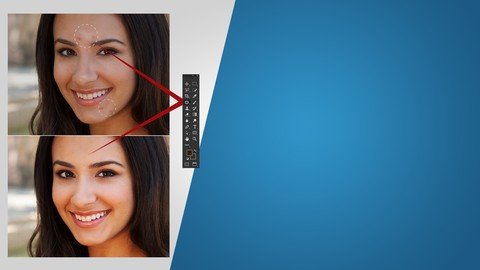
What you'll learn Master advance photoshop techniques used by professional designers Learn hidden tips and tricks for photoshop Learn retouching and beauty techniques Learn Adobe Lightroom Learn to work with bridge Requirements Students should have basic knowledge of Photoshop Description Image retouching has become a norm for almost all industries that are looking to produce sharp and crisp images with a lot of meaning and depth. Rightly though, not all images will have the perfect lighting, angle and even color and in such times to get the image to convey what you want, Photoshop has become an important tool. Even with the Photoshop basics down, you can't produce bright images like the professionals? Well, then this course is your savior. In this course, you will learn how to get your photos to look perfect like those of professionals. You will learn not only how to retouch photos but also a few important Adobe Photoshop extensions that can help enhance your Photoshop usability. You will also learn how to adjust the lighting of photos based on the segment they belong to. The course has been designed by professionals to share their experience on the different Adobe tips and tricks for more efficient retouching of photos. You will learn how to Retouch Beauty shots including how to accentuate certain aspects of the body such as skin, eye depth and color, teeth whiteness, lips color, body retouching and even hair selecting. For the times when you don't have hours to spend on photo retouching, you will also learn how to quickly retouch images for men, women and other subjects. In addition to retouching, you will also learn how to adjust the lighting of images for different segments such as beauty, fashion, portrait, creative, product, etc. That's not all, the course will also cover major Adobe Extensions (Lightroom, Bridge and Camera Raw) that can definitely help boost your photo editing skills. This course is dedicated to help you become one of the best editors on the market with this advanced course. From basic retouching to more advance photo manipulation, this course will teach you everything you need to become a professional photo editor. So, what are you waiting for? Let's us make you a Photoshop maestro! Overview Section 1: Introduction Lecture 1 Introduction Section 2: Beauty Techniques Lecture 2 Skin Retouching Part A Lecture 3 Skin Retouching Part B Lecture 4 Eye Depth & Color Part A Lecture 5 Eye Depth & Color Part B Lecture 6 Teeth Whitening & Straightening Lecture 7 Lip Color & Body Lecture 8 Hair Selecting & Retouching Section 3: Working with Adobe Lightroom Lecture 9 Making an Image Pop Lecture 10 Adding and Editing Keywords Part A Lecture 11 Adding and Editing Keywords Part B Lecture 12 Adding and Editing a Watermark Lecture 13 Exporting Images Lecture 14 Automatic Image Synchronization Lecture 15 Copyrighting Images Lecture 16 Integrating Lightroom with Dropbox Lecture 17 Integrating Lightroom with Branding Section 4: Working with Bridge Lecture 18 Importing with Bridge Lecture 19 Working with Batch Process Lecture 20 Star and Labeling System Lecture 21 Creating a PDF Portfolio in Bridge Lecture 22 Integrating Copyright Info Lecture 23 Bonus Lecture: More Interesting Stuff, Offers and Discounts Students who want to learn advance photoshop techniques such as retouching and light room will find this course very useful