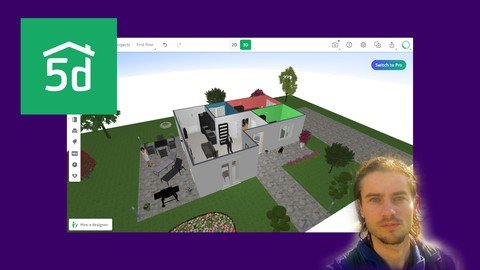
Published 1/2023 MP4 | Video: h264, 1280x720 | Audio: AAC, 44.1 KHz Language: English | Size: 4.44 GB | Duration: 4h 56m Interior design create 2D plans and 3D renders with Planner 5D
What you'll learn Master dashboard Manage designs Master navigation Edit parameters Work with 2D view and 3D view Use image Create walls Create rooms Create room models Add doors Add windows Add appliances Add decorations Edit ground materials Edit wall materials Create garden Export render Create room design Create house design Create garden design Requirements You need to subscribe on Planner 5D Description Planner 5DPlanner 5D is a software that allows you to create a 2D plan and obtain real time 3D rendering. This software is specialized for interior design, but it is also possible to expand on exterior design. The software allows to optimize all interior designs thanks to the click and drop system with preset sizes. Indeed, it is quick to add doors, windows, or even furniture thanks to its vast library. The change to the 3D view is very powerful with a real time of the design. Thus, we can move around the rooms to see the design, exactly like we were walking inside the rooms. Then it is possible to export the views. Planner 5D has a free version and a paid version. The free version gives access to all features, but only allows normal renderings, and does not allow access to the entire image library. The paid version give access to all the library and better renderings.Who is the software for?- Individuals who want to create a rendering of their future apartment, house or simply design a room.- Entrepreneurs who work for interior design. This ergonomic tool makes it possible to make presentations and renderings for clients, both in 2D and 3D views.- Real estate agencies who want an ergonomic tool to give ideas to clients and create renderings of projects.Training courseIn this training you will learn how to use Planner 5D online tool. Step by step, you will be able to efficiently create your room, house or apartment designs. Use of the dashboard, navigation management, mastery of the various design tools to create your 2D plan. Navigating between 2D and 3D views, you will see how to perfectly create walls, rooms, set room parameters, add furnitures, colors and materials. You will see how to create renders. You will also learn how to extend the design to a terrace and garden layout. A complete project of creating a house will allow to see all the features seen in the course. Overview Section 1: Introduction Lecture 1 Introduction Section 2: Start with Planner 5D Lecture 2 Start with software Lecture 3 Start with dashboard Lecture 4 Create project Lecture 5 Master dashboard Lecture 6 Edit settings Section 3: Create structure Lecture 7 Create walls Lecture 8 Create rooms Lecture 9 Edit room type Section 4: Add elements Lecture 10 Add doors Lecture 11 Add windows Lecture 12 Add elements Section 5: Add furnitures Lecture 13 Add furnitures part 1 Lecture 14 Add furnitures part 2 Lecture 15 Add decorations Lecture 16 Add appliances Lecture 17 Add favorites Section 6: Add materials Lecture 18 Edit materials part 1 Lecture 19 Edit materials part 2 Section 7: Add floors Lecture 20 Add floors Lecture 21 Add stairs Section 8: Create garden Lecture 22 Create garden part 1 Lecture 23 Create garden part 2 Section 9: Create render Lecture 24 Create renders Section 10: Use ruler Lecture 25 Add rulers Section 11: Introduction Lecture 26 Project create walls Lecture 27 Project add doors Lecture 28 Project add windows Lecture 29 Project add furnitures living room Lecture 30 Project add furnitures first room Lecture 31 Project add furnitures second room Lecture 32 Project add furnitures bathroom Lecture 33 Project add decorations Lecture 34 Project add appliances Lecture 35 Project edit ground materials Lecture 36 Project edit wall materials Lecture 37 Project render interior Lecture 38 Project create garden Lecture 39 Project create terrace Lecture 40 Project add trees Lecture 41 Project render exterior Individuals who want to create their house or room design,Designers who want ergonomic tool to create projects and create presentations,People who want efficient tool for interior design,Real estate agencies