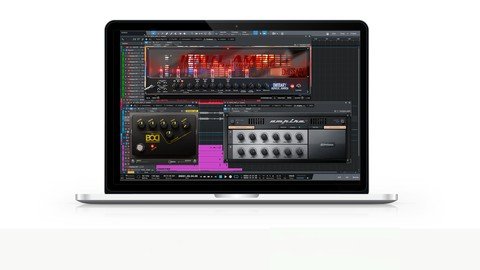
Last updated 1/2022 MP4 | Video: h264, 1280x720 | Audio: AAC, 44.1 KHz Language: English | Size: 2.19 GB | Duration: 2h 40m Learning how to mix and edit Rock and Metal songs in Studio One
What you'll learn How to produce rock and metal styles in Presonus Studio One The editing and mixing techniques they can use in these genres Requirements Presonus Studio One DAW software A basic knowledge of the application for recording, editing and mixing A capable computer to run Studio One Studio Headphones and/or Monitors will also help Description If you want to improve your rock and metal style songs in Studio One, this is the perfect course for you! Learn how to Produce Rock and Metal Songs in Studio This is a complete course teaching you how to get the most out of your rock and metal productions with the tools available in Studio OneWith easy-to-follow tutorials and a real-world example of a heavy rock song, you'll see all my tips and tricks and you'll enjoy learning while taking action.THIS COURSE INCLUDES THE AUDIO FILES OF A REAL WORKING EXAMPLE ROCK/METAL SONG. So you can download these resource audio files and follow along with me while we work through the course WHAT WILL YOU LEARN?Getting Your Tracks organized for the productions How to Mix and process your Drums How to great sounding rock/metal bass sound Building up a wall of gained up guitars Adding extra clean guitars to your mix Tightening up your performances with the Audio Bend tool How to work with different vocal styles in your productions Finalizing your song by polishing up your tracks and applying some basic mastering WHY COMPOSE IN STUDIO ONE?Studio One is a fully featured package.It comes bundled with many tools to use to help you with your productionsIt is super easy to navigate and use.The features in the application allow you to improve your workflow with your rock and metal productionsCOURSE REQUIREMENTS?Studio One 3 Artist/Pro and up will get you through this course. I highly recommend the latest Studio one Pro as then you have all the bells and whistlesHaving some extra virtual instruments and plugins will help, like a drum instrument, bass instrument, and amp emulation plugin. For example I use Guitar Rig as my amp emulation plugin in this course, But I will recommend freeware versions as well that you can useWHY LEARN FROM US?This course expands on my other Udemy courses on Studio One. With with this course you can fine-tune your productions and learn all the tips and tricks for getting great sounding rock and metal songsMy goal with the course is to give you tools within Studio One that help you produce better songs I CAN'T WAIT TO SEE YOU IN THE COURSE! Cheers, Gary Hiebner Overview Section 1: Introduction Lecture 1 Introduction Lecture 2 Getting Organized with Folders and Colors Lecture 3 Creating Markers for your Arrangement Lecture 4 ASSIGNMENT 1: Organize your tracks for your Song Section 2: Getting Your Rhythm Section Together Lecture 5 How to get a Big Kick Drum Sound Lecture 6 Processing your Snare Lecture 7 How to Mix Toms and Overheads Lecture 8 How to Mix your Drums Bus Group Lecture 9 ASSIGNMENT 2: Mix and Edit your Drums Lecture 10 How to Mix and Edit your Bass Guitar Lecture 11 Correction: The Bass DI Plugin Effect Lecture 12 ASSIGNMENT 3: Processing your Bass Section 3: How to Edit and Mix your Guitars Lecture 13 What Amp Simulation to use on your Guitars Lecture 14 ASSIGNMENT 4: Creating your Tone with Amp Emulators Lecture 15 How to Mix Guitars Lecture 16 Using Detuned Guitars in a Guitar Mix Lecture 17 ASSIGNMENT 5: Mixing and Processing your Guitars Lecture 18 Using Audio Bend to Tighten up the Guitars Lecture 19 Working on your Guitar Lead Tracks Lecture 20 Using Clean Guitars in Rock and Metal Productions Lecture 21 ASSIGNMENT 6: Tighten Up your Guitars Section 4: How to use Vocals in Rock and Metal Productions Lecture 22 Processing Vocals: Part 1 Lecture 23 Processing Vocals: Part 2 Lecture 24 Processing Vocals: Part 3 Lecture 25 Finalizing Your Song Lecture 26 ASSIGNMENT 7: Mix and Edit your Vocals Lecture 27 Bonus Lecture: Congratulations :) Music Composers, Producers working with Studio who want to know the tools better,Users who want to take their Studio one Rock and Metal Songs further,Rock and Metal musicians who want to know how to produce these styles in Studio One