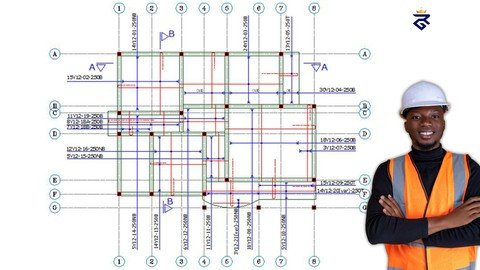
Published 1/2023 MP4 | Video: h264, 1280x720 | Audio: AAC, 44.1 KHz Language: English | Size: 2.62 GB | Duration: 3h 46m Learn AUTOCAD STRUCTURAL DETAILING and how to interpret Structural Drawing like a Pro
What you'll learn • How to Create Structural Detailing using AutoCAD • How to Create Grid • How to draw Beam Layout Plan • How to draw Column Layout Plan • How to draw Column Detailing • How to draw Column Layout Plan • How to draw Column Layout Plan • How to draw to Draw Footing • How to draw Foundation Layout Plan/Genera arrangement • Slab Layout Plan • Slab Detailing • Naming Beams • Numbering Footing • Numbering Columns • Naming Foundations Requirements A windows version of the AutoCAD software. A laptop and Passion to learn Description This Structural Detailing course is designed for people who wish to learn everything about Structural Detailing in a self-paced, simple-to-understand manner. By following the course module, a beginner can start learning Structural detailing from scratch.This is the best Course You will need to learn Structural Detailing of RCC in AutoCAD.This course covers types of construction drawings. You will get to know the difference between, Architectural Drawing, Electrical Drawing. Mechanical Drawing, Structural Drawing etc. Structural Drawings are essential in construction as these are the very blueprints of the construction.In this course, you will get the necessary knowledge required to create Structural Detailing/Structural Drawing using AutoCAD.By the end of this course, you will be able to create:Creating GridHow to draw Beam Layout PlanHow to draw Column Layout PlanHow to draw Column DetailingHow to draw Column Layout PlanHow to draw Column Layout PlanHow to draw to Draw FootingHow to draw Foundation Layout Plan/Genera arrangementSlab Layout PlanSlab DetailingNaming BeamsNumbering FootingNumbering Columns· Naming FoundationsWho is this course for:Civil EngineersCivil Engineering StudentsSite EngineersDraftersArchitectsConstruction WorkersStructural EngineersStructural DesignersThis course also covers how to create simple 2D residential plan, which means as a professional you now have an added advantage on how to create building plans and dimension then accurately. Overview Section 1: Introduction to Structural Detailing Lecture 1 01- Types of Construction Drawings Lecture 2 Introduction to Structural Detailing Section 2: Setting up workspace Lecture 3 02-Workspace Setup Lecture 4 03- Grid Setup Section 3: Creating Walls Lecture 5 04- Setting up Walls Lecture 6 05- Setting up Walls 2 Lecture 7 06- Setting up Walls 3 Section 4: Numbering Grids Lecture 8 07- Gride numbering Section 5: Grid Dimensioning Lecture 9 08- Gride Dimensioning Section 6: Creating Columns Lecture 10 09-Inserting Columns Lecture 11 10- Numbering Columns Section 7: Column Detailing Lecture 12 Column Detailing 1 Lecture 13 Column Detailing 2 Section 8: Column Cross-section Detailing Lecture 14 Column Cross-sectional Detailing of Column Section 9: Creating Footings Lecture 15 Inserting Footings Lecture 16 Numbering Footings Section 10: Creating Beams Lecture 17 Inserting Beams Lecture 18 Numbering Beams Section 11: Creating Foundation Lecture 19 Foundation Layout Plan 1 Lecture 20 Foundation Layout Plan 2 Section 12: Slab Detailing Lecture 21 Slab Detailing 1 Lecture 22 Slab Detailing 2 Lecture 23 Slab Detailing 3 Civil Engineers,Civil Engineering Students,Site Engineers,Drafters,Architects,Construction Workers,Structural Engineers,Structural Designers