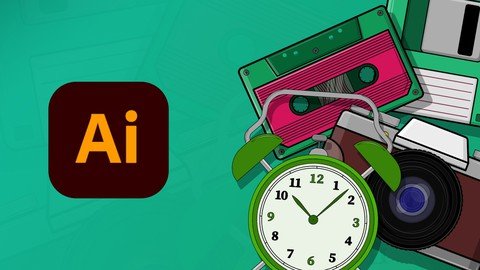
Last updated 11/2021 MP4 | Video: h264, 1280x720 | Audio: AAC, 44.1 KHz Language: English | Size: 971.56 MB | Duration: 2h 15m In this class you'll learn designing vector illustration of "Electronic Gadgets" using Adobe Illustrator Easy to Hard
What you'll learn Process of digital illustration and tips & techniques in Illustrator Requirements Basic knowledge of Adobe Illustrator Adobe Illustrator Software Description In this class you'll learn designing vector illustration of "Electronic Gadgets" using Adobe Illustrator.No matter how simple or complex artwork you want to create, the course is designed in a way that allows you to understand the step by step process starting from easy design exercises moving towards more advanced examples.The class covers every in depth detailed knowledge that you need even if you are an absolute beginner. No matter how advance design illustration your want to create we got everything covered for you in this class.In this class we have covered a wide range of design project examples for you, so that easy to learn everything step by step.In the first class we have covered easy design, in which we came up with a simple floppy disk design, starting from the design structure, and refining the artwork using basic shapes and lines, that helps understanding and practicing the design process for absolute beginners as well.Then we move to cassette design that has a bit more details. Once you will be able to complete these two easy and intermediate examples, you will be all set ready to explore more examples based on your imagination.Before you enroll into this course one thing to bare in mind is this course is more focused on the strategies and process and less about the tools and how the program works. Overview Section 1: INTRODUCTION Lecture 1 Introduction Lecture 2 A Quick Overview Lecture 3 Creating Structure Using Basic Shapes & Lines Section 2: Creating, Refining, Coloring & Shading the Artwork - Designing a Floppy Disk Lecture 4 Refining the Artwork Lecture 5 Adding colors to the artwork Lecture 6 Shading the artwork with highlights and shadows Lecture 7 Polishing the artwork with additional details Section 3: Designing & Creating a Cassette Lecture 8 Designing a cassette basic structure - Project Example Two Lecture 9 Coloring and shading a cassette - Project Example Two Section 4: Designing an Alarm Clock Lecture 10 Designing an Alarm Clock - Project Example Three Section 5: Designing a Vintage Camera - Project Example Four Lecture 11 Designing a Vintage Camera Section 6: Designing a Tape Recorder Lecture 12 Designing a Tape Recorder - Basic Structure PART-1 Lecture 13 Designing a Tape Recorder - Basic Structure PART-2 Lecture 14 Designing a Tape Recorder - Basic Structure PART-3 Lecture 15 Designing a Tape Recorder - Adding Colors PART-4 Section 7: FINAL THOUGHTS Lecture 16 FINAL THOUGHTS Graphic Designers,Digital Illustrators