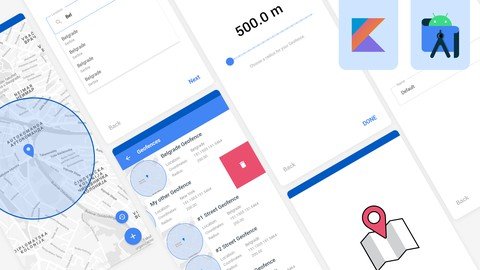
Last updated 2/2022 MP4 | Video: h264, 1280x720 | Audio: AAC, 44.1 KHz Language: English | Size: 4.00 GB | Duration: 9h 0m Learn more about Geofence API and Places SDK for Android. Learn by practicing on a real project/Android application.
What you'll learn Geofencing API Places SDK Place ID Place Types Session Token Autocomplete Widget Custom Autocomplete Widget Constrain Autocomplete Result Get Places around your Current Location Get Places Information Get Place Photos Connect to Google Cloud Platform Receive Notification when ENTER/EXIT/DWELL Geofence Draw a Circle/Radius on the Map Start/Stop a Geofence Shared View Model Android Architecture Components ROOM Database Navigation Component Dagger-Hilt - Dependency Injection Live Data Flow Kotlin Coroutines DataStore Preference Handle Run-time Permissions Newest Android API Levels Work with the Local Database Broadcast Receiver Motion Layout Swipe to Delete AND MORE! Requirements Kotlin Programming Language Basic Knowledge of Android Architecture Components Motivation to learn and improve Description Hello there and welcome to my course, in this course I'm going to teach you everything you need to know to implement Geofence API in your project. And not just that, as a Bonus I'm going to teach you how to integrate Places SDK for Android as well.Now this is not the course where you will learn just the theory, this is the course where you will combine theory with practice, and also create one Android application which will use both Geofence API and Places SDK. First I'm going to start this course by introducing you with Places SDK for android. You will learn how to connect your project with the Google Cloud platform, and generate an API key as well. After that you will learn more about Places Autocomplete widget, how we can use it to receive different kind of places as a response. Also how to get more details about the specific place, then how to get places information around your current location, and place photos as well. Plus You will learn more about place ID's, place types, data fields and session tokens.Now after you get fully introduced with Places SDK for android, we are going to start building our Geofence app. And for those of you who are not familiar, Geofence API combines awareness of the user's current location with awareness of the user's proximity to locations that may be of interest. So basically in our application which we are going to create, we will have a good looking flow to get more information from a user regarding the creation of a Geofence. We will be able to create multiple geofences in our app and get notified whenever we ENTER/EXIT OR STAY within the Geofence for a specified amount of time.Now I have already prepared design project which we are going to use in this course, so you don't have to worry about that. Also that design project will be available to you for FREE along with the source code of the project on which we are going to work on. The source code will be available on my Github profile.So, our app will use the most popular Android Architecture components like: ROOM database, Dagger-Hilt dependency Injection library, Navigation Component, View Model, Live Data, Data Store Preference, View Binding, Data Binding, Kotlin Coroutines, Flow and many more...We are going to follow the principle of a single activity and multiple fragments. Our application will have six different fragments. And we will also use nested navigation graph in our app.Now, all my courses are well organized, very informative, and they will provide you with all the necessary knowledge you need to work with the latest android API levels. Plus at the end of the course we will have one special section where I'm going to occasionally upload some course updates, like bug fixes and code cleanups. And that way this course will always be up-to-date.Now what I want here, I want to include you in this project of mine. I want to make you think, like a real developer. After we finish this course and building our app, I expect you to look into the code again and suggest what else could be improved in the app which we are going to create. You can also report some bugs if you find, and even suggest a solution by yourself if you have one.Anyhow, there is a 9 hours of high quality content waiting for you.So what are you waiting for, let's get started developers! Overview Section 1: Introduction Lecture 1 Introduction Lecture 2 Dependency Overview Lecture 3 Application Design Preview Lecture 4 Geofencing API Limitations Lecture 5 This Project is on Github Section 2: Places SDK for Android Lecture 6 About Places API Lecture 7 Place IDs Lecture 8 Place Types & Data Fields Lecture 9 Session Tokens Lecture 10 Connect the Project with Google Cloud Platform Lecture 11 Generate Release API Key Lecture 12 Autocomplete Widget - Fragment Lecture 13 Autocomplete Widget - Activity Lecture 14 Constrain Autocomplete Results Lecture 15 Get the Current Location Lecture 16 Get a Place by ID Lecture 17 Get a Place Photo Section 3: Geofencing API Lecture 18 Get Introduced with Application Design Lecture 19 Implement Navigation Component Lecture 20 Design PermissionFragment Layout Lecture 21 Create Permissions object Lecture 22 Create DataStoreRepository Lecture 23 Create SharedViewModel Lecture 24 PermissionFragment Lecture 25 Connect the Project with Google Cloud Platform Lecture 26 Design Step1Fragment Layout Lecture 27 Step1Fragment - Part 1 Lecture 28 Step1Fragment - Part 2 Lecture 29 Create Step1Bindings Lecture 30 Handle the ProgressBar Lecture 31 Design Step2Fragment Layout Lecture 32 Step2Fragment - Part 1 Lecture 33 Create PredictionsAdapter Lecture 34 Step2Fragment - Part 2 Lecture 35 AutocompletePrediction - Click Listener Lecture 36 Create NetworkListener Lecture 37 Step2Fragment - Error Handling Lecture 38 Step2Fragment - RecyclerView Item Animation Lecture 39 Display Google Attribution Lecture 40 Design Step3Fragment Layout Lecture 41 Implement Step3Fragment Lecture 42 Change Map Style Lecture 43 Design MapsFragment Layout Lecture 44 zoomToSelectedLocation - MapsFragment Lecture 45 Setup ROOM Database Lecture 46 Inject GeofenceRepository Lecture 47 Draw a Circle on the Map Lecture 48 zoomToGeofence - MapsFragment Lecture 49 Take a Map Snapshot Lecture 50 Add Geofence to the Database Lecture 51 readDatabase - MapsFragment Lecture 52 Create GeofenceBroadcastReceiver Lecture 53 Start a Geofence Lecture 54 Reset Shared Values Lecture 55 Design GeofencesFragment Layout Lecture 56 Design geofences_row_layout Lecture 57 Motion Layout - geofences_row_layout Lecture 58 Create GeofencesAdapter Lecture 59 Display Geofences in a RecyclerView Lecture 60 delete_imageView - Handle Click Event Lecture 61 removeItem - GeofencesAdapter Lecture 62 snapshot_imageView - Handle Click Event Lecture 63 Animate geofences_recyclerView Lecture 64 Transition Animations - Navigation Component Lecture 65 Final Word Section 4: Course Updates Lecture 66 Update #1 - Step1Fragment - App Crash Fixed Lecture 67 Update #2 - jcenter() Migration, Easy Permissions, Dependency Update Lecture 68 Update #3 - Dependency Update and Project Cleanup Android Developers,Android Programmers,Android Designers,Anyone who wants to learn more about Geofence API on Android,Anyone who wants to learn more about Places SDK for Android,Anyone who wants to improve their skills