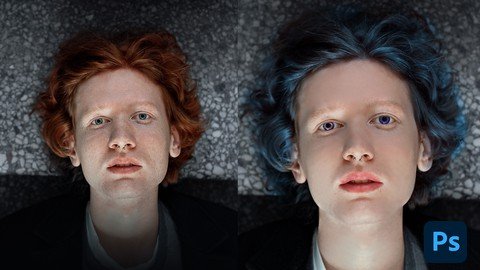
Published 1/2023 MP4 | Video: h264, 1280x720 | Audio: AAC, 44.1 KHz Language: English | Size: 553.22 MB | Duration: 0h 35m Learn an industry Standard workflow of Photoshop Retouching Images, Face, Skin for Fashion and Commercial use
What you'll learn you'll learn everything you need to know about retouching faces and skin in Photoshop. We'll start with the basics of retouching and work our way up to advanced techniques you'll learn Removing blemishes, wrinkles, and other imperfections you'll learn Smoothing skin without losing detail you'll learn Enhancing eyes, lips, change hair, eye color & other features you'll learn Dramatic Editing Of Portraits A industry Standard Work flow of Skin Retouching Requirements We'll be using Adobe Photoshop for this course, so it's recommended that you have access to a recent version of the software Description In this class, i will teach you basic techniques and process of Professional Skin Retouching & Portrait Editing, its use in different projects, and a streamlined workflow for Editing portraits for Fashion brands and Commercial usePrograms needed: Adobe PhotoshopThe skill required: Beginner & intermediate photoshop skillsWhat You'll Learn In this class I am revealing my secret of professional skin retouching and face editing for commercial and artistic purposes. I created a very easy technique of Face Retouching to get realistic Look in photoshop, without any professional skill requirements, the class is divided into a few parts from the introduction - Skin Retouching - Smooth Skin - Pimple Removing - Eye color - Hair color - Face modification - Speedup Action - Throughout the course, you'll learn how to use a variety of tools and techniques in Photoshop to retouch faces and skin,We'll cover topics such as:Removing blemishes, wrinkles, and other imperfectionsSmoothing skin Retouching without losing detailWhitening teeth and eyesEnhancing eyes, lips, and other featuresWorking with different skin tonesCreating a natural and polished final resultProfessional Skin Retouching workflowRetouching ActionFace ModificationsHair Color changeEye Color ChangeFace Skin toneBy the end of the course, you'll have the knowledge and skills to create professional-quality retouching on your own, you'll have enough Photo Editing skills you can use for any number of projects, such as Photography exhibits, posters, album arts, and commercial usefeel free to ask any questions.you can also follow me and visit my profile for resourcesAgency Portfolio • instagram • Linkedin • Behance Overview Section 1: Skin Retouching from Basic to Techniques Lecture 1 Introduction Lecture 2 Detail Mainting Retouching technique Lecture 3 Extra Smooth Retouching Lecture 4 Pimples & Scar Removing Lecture 5 Face Modifications Lecture 6 Lips Color Lecture 7 Change Eye Color Lecture 8 Change Hair Color Lecture 9 Retouching Action Lecture 10 final result and class project Section 2: Dramatic Skin Retouching for a Dramatic Portrait look Lecture 11 Pre Retouching Lecture 12 Retouching Lecture 13 Dramatic Effect Whether you're a professional photographer, Content Creator, Influencer or a makeup artist, or a hobbyist, this course will help you take your retouching skills to the next level.