

 :
:
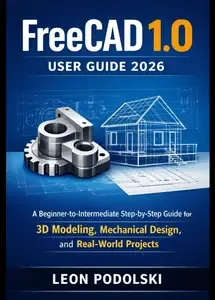
FREECAD 1.0 USER GUIDE 2026: A Beginner-to-Intermediate Step-by-Step Guide for 3D Modeling, Mechanical Design, and Real-World Projects
by LEON PODOLSKI
English | 2026 | ASIN: B0GLL1YR7V | 251 Pages | PDF | 69 MB
FreeCAD 1.0 User Guide 2026: A Beginner-to-Intermediate Step-by-Step Guide for 3D Modeling, Mechanical Design, and Real-World Projects Master professional 3D CAD design with the world's most powerful free CAD software.
This comprehensive guide takes you from complete beginner to confident FreeCAD user through clear explanations, practical examples, and real-world projects. No prior CAD experience required.
What You'll Learn:
Foundations (Chapters 1-3)
Navigate FreeCAD's interface with confidenceCreate precise 2D sketches with constraintsBuild 3D models using Pad, Pocket, and RevolveUnderstand parametric modeling and feature trees
Professional Techniques (Chapters 4-7)
Add holes, fillets, chamfers, and patternsCreate assemblies with moving partsGenerate technical drawings with proper dimensionsMaster advanced modeling: lofts, sweeps, and Boolean operations
Real-World Projects (Chapters 8-9)
Design a complete mechanical part from concept to manufacturingCreate a consumer product with snap-fits and injection molding featuresLearn professional workflow, including iterations and problem-solving
Production Ready (Chapter 10)
Export files for 3D printing, CNC machining, and laser cuttingPrepare models for manufacturingConnect with the FreeCAD communityContinue advancing your skills
Who This Book Is ForMakers and hobbyists who want to design custom parts for projectsEngineers and designers transitioning to FreeCAD from other CAD softwareStudents learning 3D modeling and mechanical designProduct developers prototyping and testing ideas before manufacturingAnyone who wants to turn ideas into physical objects
Why This Book WorksSimple English: No jargon or unnecessary complexityHands-on approach: Learn by doing, not just readingProgressive learning: Each chapter builds on the previousReal projects: Apply skills immediately to practical designsComplete workflow: From concept through documentation to manufacturing
What Makes FreeCAD Special FreeCAD is completely free and open source-no subscriptions, no licenses, no limitations. It's professional-grade CAD software used by engineers, designers, and makers worldwide. This book shows you how to use it like a pro.
Book Features10 comprehensive chaptersStep-by-step tutorials with clear instructionsPractice exercises in every chapterTroubleshooting guides for common problemsReal-world design projects you can actually buildTips for 3D printing and manufacturingResources for continued learning
Start Designing Today Whether you're designing mechanical parts, creating product prototypes, or building custom solutions for your projects, this book gives you the skills you need.
Stop paying for expensive CAD software. Stop struggling with confusing tutorials. Start designing with confidence.
Your journey from beginner to FreeCAD user starts here.
Buy Premium From My Links To Get Resumable Support,Max Speed & Support Me
Links are Interchangeable - Single Extraction