

 :
:
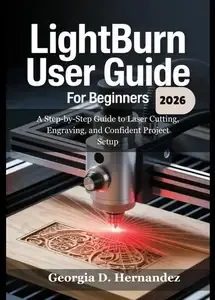
LightBurn User Guide For Beginners 2026 by Georgia Hernandez
English | 2026 | ASIN: B0GHPWCNJM | 99 pages | pdf | 36 MB
Stop Wasting Material, Time, and Money - Learn LightBurn With Confidence
Have you ever watched a laser job fail after everything looked right on screen?
Have you ruined wood, acrylic, or leather because cuts did not go through or engravings came out uneven?
Do you find yourself adjusting settings again and again, unsure what to change, while your laser sits idle and frustration builds?
Many beginners face the same problem. Video tutorials often skip important steps, assume prior knowledge, or focus on features without explaining how to use them correctly. Instead of clarity, you are left guessing-and every guess costs material, time, and confidence.
The issue is not your laser.
It is the lack of a clear, complete learning path.
You Don't Need More Videos
You Need a Practical, Real-World Guide
You invested in a laser cutter to produce clean, accurate, and reliable work. Instead, you may feel stuck dealing with confusing menus, unclear settings, and results that never match your expectations.
LightBurn is powerful software, but without proper guidance it can feel overwhelming. One wrong setting can lead to failed cuts, burned surfaces, or misplaced designs. Over time, repeated mistakes make it harder to take on serious projects or paid work.
That is exactly why LightBurn User Guide for Beginners was written.
What Makes This Guide Different
This book does not rush.
It does not assume experience.
And it does not rely on trial and error.
Instead, it walks you through LightBurn step by step, using simple English and practical explanations. Each chapter builds on the last, guiding you from first setup to completed projects with confidence.
You will learn not just what to click, but why settings work-and how to adjust them when things go wrong.
What You Will Learn Inside
This guide shows you how to use LightBurn in real situations, not just in theory.
You will learn how to:Install and set up LightBurn correctlyConnect and configure your laser machineUnderstand the workspace, tools, and layers without confusionPrepare files so designs engrave and cut correctlySet power, speed, focus, and passes with purposeWork safely and confidently with common materialsUse layers to manage engraving and cutting with controlPreview jobs to prevent placement and scaling errorsTest materials and create reliable test gridsFix common problems calmly and correctlyOrganize projects and reuse successful settingsClear troubleshooting sections help you understand exactly what to adjust when results are not right-without panic or wasted effort.
Designed for Beginners - Built for Real Results
This book is ideal for new laser owners, hobby users, makers, students, and small business beginners. No design background is required. No technical experience is assumed.
You will build skills gradually, starting with the basics and moving toward more confident, professional workflows-without feeling overwhelmed or left behind.
Turn LightBurn Into a Tool You Can Trust
Instead of guessing, you will follow a repeatable process.
Instead of wasting material, you will test with purpose.
Instead of feeling unsure, you will know what to check before every job.
Your laser is capable of accurate, consistent results.
This guide shows you how to unlock that potential-clearly, safely, and with confidence.
Buy Premium From My Links To Get Resumable Support,Max Speed & Support Me
Links are Interchangeable - Single Extraction