

 :
:
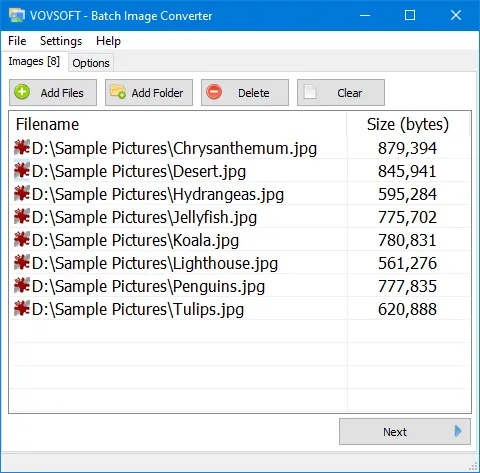
Free Download VovSoft Batch Image Converter 2.4 | 19 Mb
VovSoft Batch Image Converter is an image conversion utility designed to help users convert multiple graphic files between different formats. It allows processing individual images or entire folders, making it suitable for users who need to handle large numbers of pictures efficiently.
The software provides a simple interface for changing image formats through drag-and-drop or manual file selection. It supports common image formats and includes options for maintaining transparency and converting images to grayscale.
VovSoft Batch Image Converter is useful for photographers, designers, developers, and everyday users who need a lightweight tool for batch image processing.
Software Overview
VovSoft Batch Image Converter provides a straightforward solution for converting images in bulk. Users can add multiple files or folders, select the desired output format, and process conversions in a single operation.The application supports various popular image formats including PNG, WEBP, JPEG, JFIF, TIFF, BMP, GIF, ICO, and WMP. It can preserve transparency in images with alpha channels and provides an option to convert images to grayscale.
The software also integrates with the Windows SendTo context menu, allowing users to quickly convert selected files or folders directly from File Explorer.
Key Features
- Convert multiple images in batch mode.
- Process individual files or complete folders.
- Support PNG, WEBP, JPEG, JFIF, TIFF, BMP, GIF, ICO, and WMP formats.
- Preserve transparency for images with alpha channels.
- Convert images to grayscale.
- Add files through drag-and-drop or manual browsing.
- Integrate with the Windows SendTo directory.
Why Choose VovSoft Batch Image Converter
VovSoft Batch Image Converter provides an easy way to handle repetitive image conversion tasks without requiring complex editing software. Its batch processing capabilities help users save time when working with multiple image files.The software is suitable for users who need a simple and efficient solution for converting image formats while maintaining important image properties.
System Requirements
Windows 11, Windows 10, Windows 8/8.1, Windows 7, Windows Vista (32-bit & 64-bit)Frequently Asked Questions
What is VovSoft Batch Image Converter used for?
VovSoft Batch Image Converter is used to convert multiple image files between different graphic formats.Does VovSoft Batch Image Converter support batch processing?
Yes. The software can process multiple images or entire folders in a single conversion operation.Which image formats are supported?
The software supports PNG, WEBP, JPEG, JFIF, TIFF, BMP, GIF, ICO, and WMP image formats.Can the software preserve image transparency?
Yes. VovSoft Batch Image Converter can preserve transparency for images that contain alpha channels.Home Page
https://vovsoft.com/software/batch-image-converter/
Product Information
- Software Name: VovSoft Batch Image Converter
- Version: 2.4
- Languages: English
- License type: Full Version
- File Size: 19 Mb
Buy Premium From My Links To Get Resumable Support,Max Speed & Support Me
Links are Interchangeable - No Password - Single Extraction