

 :
:
Free Download XL-Connector 3.7.29 | 11.85 Mb
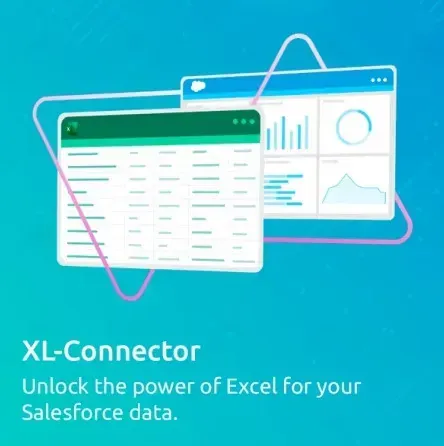
XL-Connector is a Salesforce data management plugin that connects Microsoft Excel with Salesforce, allowing users to export, import, refresh, and transform data directly within a familiar spreadsheet environment. It provides Salesforce administrators with tools for managing records, performing bulk operations, and working with Salesforce data through Excel-based workflows.
The plugin helps users handle Salesforce data tasks without switching between multiple applications. Administrators can retrieve information from Salesforce reports or create SOQL queries in Excel, modify data using standard spreadsheet features, and synchronize changes back to Salesforce.
XL-Connector is designed for Salesforce professionals who need efficient methods for data maintenance, migration, cleansing, and metadata management while using Excel as their primary workspace.
Software Overview
XL-Connector provides an integrated environment for managing Salesforce records through Excel. Users can work with Salesforce objects, update large datasets, and perform data operations using Excel features such as formulas, charts, and pivot tables.The plugin supports bulk data processing tasks, allowing Salesforce administrators to create, update, upsert, and delete records efficiently. It can also assist with Salesforce data migration by helping transfer large amounts of information between systems.
Key Features
- Export Salesforce reports and SOQL query results directly into Excel.
- Import and synchronize modified Excel data back to Salesforce.
- Perform bulk record creation, updates, upserts, and deletions.
- Use Excel formulas, charts, and pivot tables with Salesforce data.
- Manage Salesforce duplicate records in bulk.
- Support Salesforce data migration workflows.
- Access metadata management tools for Salesforce administration.
- Manage fields, validation rules, processes, picklists, security settings, and custom metadata.
- Work through a locally installed application with direct Salesforce connectivity.
Why Choose XL-Connector
XL-Connector is suitable for Salesforce administrators and teams that rely on Excel for data analysis and management. It combines spreadsheet-based workflows with Salesforce operations, making complex data tasks easier to organize and execute.The plugin helps reduce manual data handling by providing tools for bulk updates, record management, and metadata administration directly from Excel.
System Requirements
Operating System: WindowsSoftware Platform: Microsoft Excel and Salesforce
Frequently Asked Questions
What is XL-Connector used for?
XL-Connector is used to connect Excel with Salesforce for exporting, importing, updating, and managing Salesforce data.Can XL-Connector perform bulk Salesforce updates?
Yes. The plugin provides tools for bulk record creation, updates, upserts, and deletions in Salesforce.Does XL-Connector require cloud storage?
XL-Connector is a locally installed application that connects directly between Excel and Salesforce.Home Page
https://www.xappex.com/
Product Information
- Software Name: XL-Connector
- Version: 3.7.29
- Architecture:
- Languages: English
- License type: Full Version
- File Size: 11.85 Mb
Buy Premium From My Links To Get Resumable Support,Max Speed & Support Me
Rapidgator
8drsg.XLConnector.3.7.29.rar.html
UploadCloud
8drsg.XLConnector.3.7.29.rar.html
DDownload
8drsg.XLConnector.3.7.29.rar
FreeDL
8drsg.XLConnector.3.7.29.rar.html
Links are Interchangeable - No Password - Single Extraction