

 :
:
USB Drive Backup Pro 3.0 | 6.2 Mb
USB flash drives are miniature hard drives that you connect to your PC using a USB port. It helps back up a great deal of data including photos, movies, documents, and software. If the data you want to back up exceeds the limit of the drive, you will need to delete or move some files to other storage device so as to free up the storage a little bit.
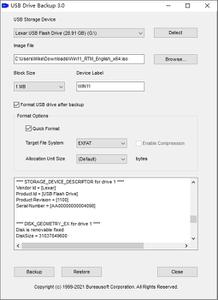
USB Drive Backup is an innovative software that allows you to back up all the data on a USB stick to a disk image file on a device of higher capacity, and restore when needed. The backup process involves raw disk access and low-level read/write operations that transfer all the data from the USB drive to the disk image file byte by byte. The restore process is vice versa.
What if your USB drive crashes? You need to have another copy of your USB drive. With the design of the software, backing up your personal data on a USB drive is no longer a hassle. You don't have to worry about losing files anymore, no data corruption any more. Your USB drive is cloned to a disk image file, and you can restore the data saved in the disk image file to any USB drive with a single click of the mouse at any time.
More important, the file system of your USB drive remains unchanged, the partition table is exactly the same, the MBR (Master Boot Record) of your USB drive is preserved, all of the files are kept just the same as they were. Every single file remains on the same position as it was on your original USB drive. Nothing is changed. In case you have a USB drive as a digital device for personal banking, software dongle, security authorization, or system activation, you can take advantage of the backup and restore technology powered by USB Drive Backup software. It is a software utility that allows you to backup, restore, and clone USB drives making them exactly the same without any difference from the data storage perspective.
USB Drive Backup software does not collect file system information from your USB drive, as it is a low-level access and raw disk access software. All the known file systems including NTFS, FAT12, FAT16, FAT32, exFAT, UDF, ReFS, EXT2, EXT3, EXT4, XFS, btrfs, Files-11, VMFS, ZFS, ReiserFS, ScoutFS, APFS, HPFS, HFS, HFS+, UFS, OS/2, JFFS2, UBIFS, YAFFS, SquashFS, QFS, VxFS, PC-BSD, Flat, Plan 9, OpenVMS, MVS, CMS, and AS/400 file systems, are supported.
USB Drive Backup software supports more than 20 USB drive controller brands, such as Intel, Samsung, Micron, Phison, SMI, Marvell, Toshiba, Silicon Motion, PMC, Sierra, OCZ, JMicron, Maxiotek, Goke, Greenliant, Fusion-io, Realtek, SanDisk, Western Digital, Hyperstone, Novachips, VIA, and FADU.
System Requirements:
Windows 11
Windows 10
Windows 8.1
Windows 8
Windows 7
Windows Vista
Windows XP
Windows 2000
Windows Server 2022/2019/2016/2012/2008/2003/2000
Home Page-
https://www.bureausoft.com/Buy Premium From My Links To Get Resumable Support,Max Speed & Support Me


