

 :
:
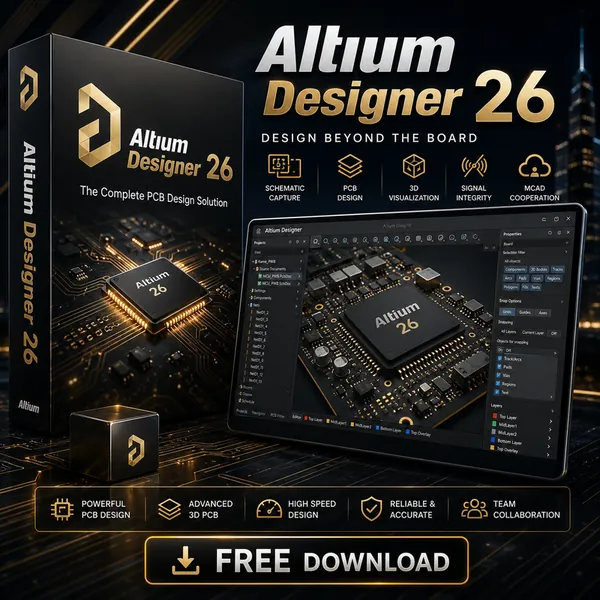
Free Download Altium Designer 26.8.1 Build 31 (x64) | 3.12 GB
Altium Designer is a professional electronic design automation (EDA) platform used for creating printed circuit board (PCB) designs and developing complete electronic products. It provides an integrated environment that supports the entire design process, from initial schematic concepts to detailed PCB layouts and manufacturing documentation.
The software is designed for electronics engineers, PCB designers, and development teams who require a unified workspace for designing complex electronic systems. By combining schematic capture, PCB layout, component management, simulation, 3D visualization, and documentation tools, Altium Designer helps streamline the transition from concept development to production.
With a centralized data model and connected design environment, Altium Designer reduces manual data transfers between different editors while improving consistency throughout the electronic product development workflow.
Software Overview
Altium Designer provides a complete PCB design environment where engineers can create electrical schematics, define component libraries, design board layouts, verify projects, and generate manufacturing documentation.
The platform includes dedicated editors for schematic design, PCB routing, component footprints, 3D board visualization, and production documentation. Its unified interface allows designers to work with connected project data throughout the entire development process.
Altium Designer supports advanced PCB development workflows, including multi-board system design, rigid-flex PCB structures, interactive routing, signal analysis, and integration with mechanical CAD systems.
Key Features
- Complete PCB design platform covering schematic creation, layout, verification, and documentation.
- Unified data model connecting all design stages within one environment.
- Bidirectional synchronization between schematics and PCB layouts.
- Advanced component management with symbols, footprints, 3D models, and simulation models.
- Built-in verification tools for analyzing electronic designs.
- Supports rigid-flex PCB design with flexible layer stack management.
- Provides multi-board design capabilities for systems containing multiple electronic modules.
- Interactive routing tools for single traces and differential pairs.
- Native 3D engine for collaboration between electronic and mechanical designs.
- Generates production and assembly documentation for manufacturing workflows.
- Supports impedance profile management for different routing configurations.
Why Choose Altium Designer
Altium Designer provides an integrated environment for engineers who need to manage complex PCB development projects from design concept through manufacturing preparation. Its connected workflow helps maintain design consistency while reducing the need for manual data conversion between separate tools.
The software is suitable for professional electronics development, including embedded systems, industrial devices, consumer electronics, and other PCB-based products requiring detailed design and documentation.
System Requirements
Minimum System Requirements
Windows 10 (64-bit only), or Windows 8.1 (64-bit only)
Windows 7 SP1 (64-bit only) is still supported, although not recommended.
Intel® Core™ i5 processor or equivalent
4GB RAM
10GB hard disk space (Install + User Files)
Graphics card (supporting DirectX 10 or better), such as GeForce 200 series/Radeon HD 5000 series/Intel HD 4600
Monitor with at least 1680x1050 (widescreen) or 1600x1200 (4:3) screen resolution
Adobe® Reader® (version XI or later for 3D PDF viewing)
Up to date Web browser
Microsoft Office 32-bit or 64-bit
Frequently Asked Questions
What is Altium Designer used for?
Altium Designer is used for electronic design automation, including schematic capture, PCB layout, design verification, and manufacturing documentation.
Can Altium Designer create both schematics and PCB layouts?
Yes. The software provides tools for designing electrical schematics and creating corresponding PCB layouts within the same project environment.
Does Altium Designer support 3D PCB visualization?
Yes. The software includes a native 3D graphics engine for viewing PCB designs and supporting interaction between electronic and mechanical design workflows.
Who uses Altium Designer?
It is used by electronics engineers, PCB designers, and development teams working on professional electronic products.
Home Page
https://www.altium.com/
Product Information
- Software Name: Altium Designer
- Version: 26.8.1 Build 31
- Architecture: x64
- Languages: English
- License type: Full Version
- File Size: 3.12 GB
Buy Premium From My Links To Get Resumable Support,Max Speed & Support Me
Rapidgator
0rgva.Altium.Designer.26.8.1.Build.31.x64.part1.rar.html
0rgva.Altium.Designer.26.8.1.Build.31.x64.part2.rar.html
UploadCloud
0rgva.Altium.Designer.26.8.1.Build.31.x64.part1.rar.html
0rgva.Altium.Designer.26.8.1.Build.31.x64.part2.rar.html
DDownload
0rgva.Altium.Designer.26.8.1.Build.31.x64.part1.rar
0rgva.Altium.Designer.26.8.1.Build.31.x64.part2.rar
FreeDL
0rgva.Altium.Designer.26.8.1.Build.31.x64.part1.rar.html
0rgva.Altium.Designer.26.8.1.Build.31.x64.part2.rar.html
Links are Interchangeable - No Password - Single Extraction