

 :
:
Mastercam 2027 Beta Update 2 | 2.1 Gb
CNC Software, Inc. has released Update 2 (Patch 2) of Mastercam 2027 Public Beta is a powerful computer-aided design (CAD) and computer-aided manufacturing (CAM) software used for designing and creating parts, products, and toolpaths. It is widely used in the manufacturing industry, specifically in the areas of aerospace, automotive, medical, and energy sectors.
Since the first EverPath Technology beta launched, the feedback from programmers has been clear: more control, more visibility, and more confidence while building toolpaths. Beta Update 2 delivers on all three. Here's a look at what's new.
EverPath Technology Beta Update 2 Is Here: What's New
Pause/Play for Continuous Toolpath Calculation
Mastercam 2027 Beta Update 2

One of the more requested additions to EverPath Technology is now live — and we think once you use it, you won't want to program without it. A new Pause/Play button at the top of the toolpath panel gives you direct control over when your toolpath calculates. Toggle real-time calculation on or off at any point while you're working. This matters most when you're working with large models or complex paths. Instead of waiting for the software to recalculate after every parameter change, you can now pause calculation, make a full set of changes at once, then resume seeing the results in one shot.
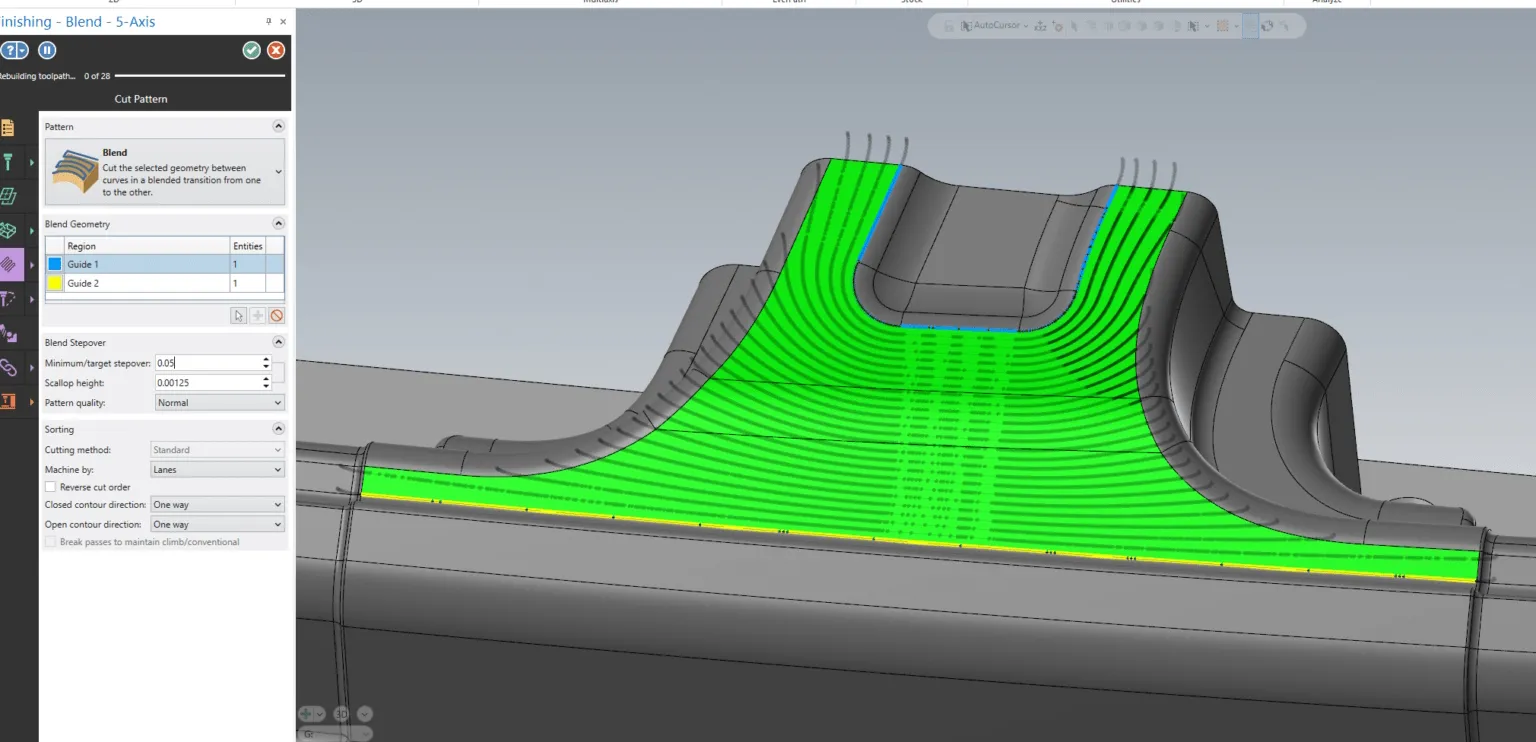
Prefer even more control? Leave calculation paused permanently. Your toolpath will only recalculate when you're ready, returning to the Toolpath Manager on your terms. We have also enhanced the regeneration graphics, so you always know exactly what's happening. When a toolpath is recalculating, you'll see a clear visual indicator while being able to critically inspect the previous motion as the new calculation runs. No more guessing. No more waiting in the dark.
Tool Assembly Avoidance: Now Visual and Live

Understanding clearance boundaries has always been important. Now it's also immediate. Beta Update 2 introduces live visual representation of Tool Assembly Avoidance directly in the graphics window. As you're selecting a tool and building your toolpath, clearance boundaries display around existing tool assemblies in real time and giving you a clear, at-a-glance picture of your working envelope before you've committed to anything.
Activate the Tool Assembly tab or subtab, and the clearance boundaries appear automatically. Modify your tool properties or adjust avoidance clearance amounts, and the graphics update live to reflect every change. What used to require a full recalculation cycle to verify is now visible as you work. The result is a more confident, more intuitive toolpath building experience which is critical for complex setups where tool interference isn't just an inconvenience, it's a costly mistake.
EverPath Technology is about giving programmers more control over how they work — not just what they produce. Beta Update 2 continues that philosophy. Whether you're managing a complex 5-axis program on a large model or fine-tuning clearances on a tight setup, these updates are designed to get out of your way and let you focus on the work.
Mastercam is a leading CAD/CAM solution that offers advanced design tools and machining features. Mastercam is currently the most widely used CAM software in the world. Designed for and by machining experts, Mastercam CAM products offer solutions for milling, turning, mill-turn, Swiss turning, wire EDM, and routing. Add-ons for specialty parts and for multiaxis machining are available as well.
Mastercam Training
Founded in Massachusetts in 1983, CNC Software, Inc. is one of the oldest developers of PC-based computer-aided design / computer-aided manufacturing (CAD/CAM) software. They are one of the first to introduce CAD/CAM software designed for both machinists and engineers Mastercam. CNC Software, Inc. is now located in Tolland, Connecticut.
Owner: CNC Software Inc.
Product Name: Mastercam
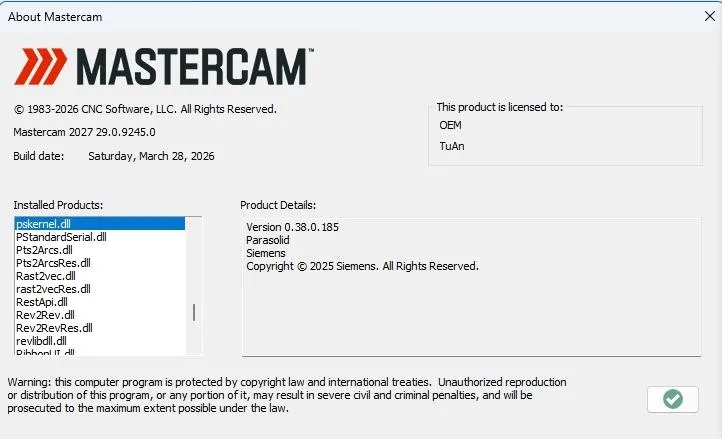
Version: 2027 Beta Update 2 (29.0.9245.0)
Supported Architectures: x64
Website Home Page :
Languages Supported: english
System Requirements Windows *
Size: 2.1 Gb
System Requirements

Pause/Play for Continuous Toolpath Calculation
Mastercam 2027 Beta Update 2
One of the more requested additions to EverPath Technology is now live — and we think once you use it, you won't want to program without it. A new Pause/Play button at the top of the toolpath panel gives you direct control over when your toolpath calculates. Toggle real-time calculation on or off at any point while you're working. This matters most when you're working with large models or complex paths. Instead of waiting for the software to recalculate after every parameter change, you can now pause calculation, make a full set of changes at once, then resume seeing the results in one shot.
Prefer even more control? Leave calculation paused permanently. Your toolpath will only recalculate when you're ready, returning to the Toolpath Manager on your terms. We have also enhanced the regeneration graphics, so you always know exactly what's happening. When a toolpath is recalculating, you'll see a clear visual indicator while being able to critically inspect the previous motion as the new calculation runs. No more guessing. No more waiting in the dark.
Tool Assembly Avoidance: Now Visual and Live
Understanding clearance boundaries has always been important. Now it's also immediate. Beta Update 2 introduces live visual representation of Tool Assembly Avoidance directly in the graphics window. As you're selecting a tool and building your toolpath, clearance boundaries display around existing tool assemblies in real time and giving you a clear, at-a-glance picture of your working envelope before you've committed to anything.
Activate the Tool Assembly tab or subtab, and the clearance boundaries appear automatically. Modify your tool properties or adjust avoidance clearance amounts, and the graphics update live to reflect every change. What used to require a full recalculation cycle to verify is now visible as you work. The result is a more confident, more intuitive toolpath building experience which is critical for complex setups where tool interference isn't just an inconvenience, it's a costly mistake.
EverPath Technology is about giving programmers more control over how they work — not just what they produce. Beta Update 2 continues that philosophy. Whether you're managing a complex 5-axis program on a large model or fine-tuning clearances on a tight setup, these updates are designed to get out of your way and let you focus on the work.
Mastercam is a leading CAD/CAM solution that offers advanced design tools and machining features. Mastercam is currently the most widely used CAM software in the world. Designed for and by machining experts, Mastercam CAM products offer solutions for milling, turning, mill-turn, Swiss turning, wire EDM, and routing. Add-ons for specialty parts and for multiaxis machining are available as well.
Mastercam Training
https://www.youtube.com/embed/IPnr1cdaT1s
Founded in Massachusetts in 1983, CNC Software, Inc. is one of the oldest developers of PC-based computer-aided design / computer-aided manufacturing (CAD/CAM) software. They are one of the first to introduce CAD/CAM software designed for both machinists and engineers Mastercam. CNC Software, Inc. is now located in Tolland, Connecticut.
Owner: CNC Software Inc.
Product Name: Mastercam
Version: 2027 Beta Update 2 (29.0.9245.0)
Supported Architectures: x64
Website Home Page :
http://www.mastercam.com
Languages Supported: english
System Requirements Windows *
Size: 2.1 Gb
System Requirements
Buy Premium From My Links To Get Resumable Support,Max Speed & Support Me
Links are Interchangeable - No Password - Single Extraction