

 :
:
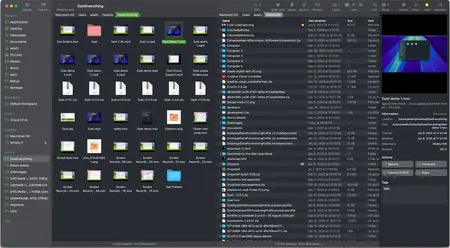
Free Download Bloom 1.5.31 macOS | 15.4 Mb
Refined Finder Experience, Reimagined for Productivity. The finest replacement for Finder with powerful tools to streamline your workflow, enhance productivity, and keep everything organized at your fingertips.
Better Search Experience
Bloom brings "Go to Folder" system-wide with an intuitive shortcut ⌘⇧⏎, so you can navigate to any location instantly, from anywhere.
Search Files by Keyword
Actually the panel supports both path navigation and keyword search. When you enter keywords, Bloom searches exclusively within your predefined locations (by default, ~). It can scan tens of thousands of files in seconds, delivering lightning-fast results.
Search Where You Work
With Bloom, you can search right where you are-just press ⌘F in any folder and start typing. The search is live, so any changes you make to the file system appear instantly. You can also use ⌘R to manually refresh the search results.
Portal
Portal is a compact Bloom window without the sidebar or preview. Though it looks small, it offers all the core features of a standard window. Use it to open your working directory or as a temporary transfer station. You can pin it on top of other windows, and when dragged to the edge of the screen, it will automatically collapse into the edge.
View Archives
Bloom supports viewing archive contents without extracting them. You can browse the compressed file structure in the inspector, just like a regular file preview. For text/image/PDF entries under 10MB, you can even press Space or double-click to open them directly.
Sync Browsing
After enabling this in the toolbar, as you navigate through the folder list on the left panel, the contents of the selected directory are automatically displayed in the right panel. This makes it easier to browse your files without switching context.
Column Auto Resize
Bloom is dedicated to optimizing the file-browsing experience, and this takes it to the next level. With Auto Resize enabled, you no longer need to tweak the name column or adjust the column width in column view to see full ✅File Names.
Why Settle for White and Gray?
Tired of Finder's one-size-fits-all gray or white? In Bloom, you are the one who sets the tone. Pick your favorite color and Bloom will style the interface to match it beautifully, keeping everything balanced and cohesive.
And More...
Home Page -
https://bloomapp.club/
Buy Premium From My Links To Get Resumable Support,Max Speed & Support Me
Rapidgator
4d0mf.Bloom.1.5.31.macOS.dmg.html
DDownload
4d0mf.Bloom.1.5.31.macOS.dmg
FreeDL
4d0mf.Bloom.1.5.31.macOS.dmg.html
Links are Interchangeable - No Password - Single Extraction