
| |
|
|
Free Software DownloadsLooking for reliable and free software downloads? You're in the right place! We offer a wide selection of trusted, free software for all your needs. Whether you need tools for multimedia, productivity, security, or development, our platform provides safe, up-to-date software downloads for various platforms. From operating systems and office tools to multimedia and security software, we have everything you need. Our collection is regularly updated, ensuring access to the latest software without any cost. Enjoy a smooth, hassle-free download experience. Our user-friendly interface allows you to easily find and download your software in just a few clicks. Plus, all downloads are thoroughly checked for safety, so you can be confident your device is protected from viruses and malware. 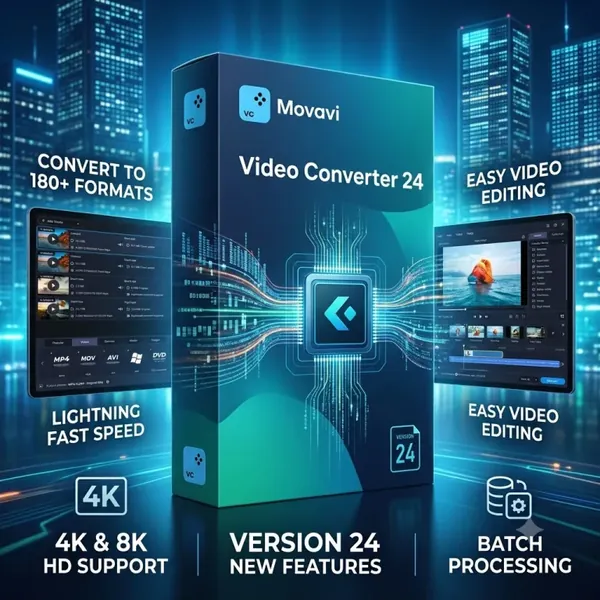 Movavi Video Converter 24.4 (x64) Multilingual Portable Fast Links | 199.5 Mb Movavi Video Converter is a multimedia conversion application designed to convert video, audio, and image files into a wide range of formats while preserving the original quality as much as possible. It provides a streamlined workflow for preparing media files for playback, editing, sharing, and storage across different platforms and devices. The software is suitable for home users, content creators, and professionals who regularly work with digital media. It combines format conversion, file compression, batch processing, and basic editing tools in a single interface, making it easy to prepare media for various workflows without requiring advanced technical knowledge. In addition to file conversion, Movavi Video Converter includes optimization profiles for popular mobile devices, gaming consoles, and smart TVs. Users can also perform simple edits before exporting files, helping streamline media preparation from one application.  Motion (Non-CreatorStudio Version) 6.3 Multilingual macOS | 2.8 GB Motion is a professional motion graphics and visual effects application for macOS that enables users to create animated titles, transitions, generators, and compositing effects for video productions. Designed to work alongside Final Cut Pro, it provides a flexible environment for building reusable motion graphics and enhancing post-production workflows. The software is intended for video editors, motion designers, filmmakers, and creative professionals who require advanced animation tools with real-time performance. Its non-destructive workflow allows users to experiment with visual effects, typography, particles, and 3D elements while receiving immediate visual feedback. Motion combines animation, compositing, visual effects, and template creation in a single application. Optimized for modern Mac hardware, it supports professional video formats, HDR workflows, and seamless integration with Final Cut Pro for efficient project sharing and template publishing. 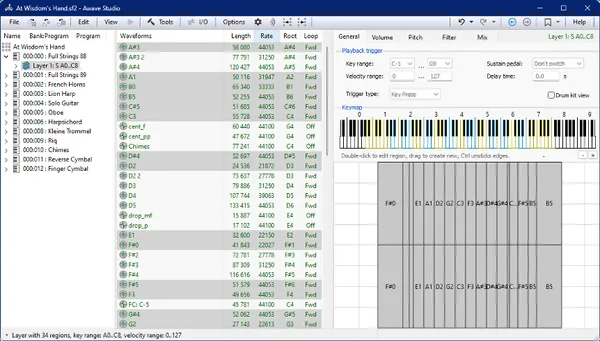 FMJ Software Awave Studio v12.15.0 | 42 MB FMJ Software Awave Studio is a versatile audio application designed for converting, editing, and managing audio files as well as synthesizer instruments. It supports a wide variety of audio and instrument formats, making it a practical solution for musicians, sound designers, producers, and users working with digital audio libraries. The software combines file conversion, waveform editing, and instrument management into a single workflow. It enables users to prepare audio for different hardware and software synthesizers, modify existing samples, and organize sound libraries without relying on multiple utilities. In addition to audio editing, Awave Studio includes tools for software synthesis, automatic sampling, and instrument editing. These features make it suitable for creating compatible sample libraries, rendering MIDI projects to audio, and working with virtual or hardware-based instruments.  Compressor (Non-CreatorStudio Version) 5.3 Multilingual macOS | 98.9 Mb Compressor is a professional video encoding and media conversion application for macOS that extends the capabilities of Final Cut Pro and Motion. It provides advanced tools for creating customized export workflows, converting video into a wide range of professional formats, and preparing media for distribution across multiple platforms. The software is intended for video editors, post-production professionals, broadcasters, and content creators who require precise control over encoding settings and output quality. Its flexible workflow supports batch processing, automated encoding, media packaging, and optimized performance on modern Apple hardware. In addition to high-quality format conversion, Compressor offers professional tools for HDR processing, color space management, subtitle handling, distributed encoding, and support for industry-standard codecs. It also simplifies large production workflows by allowing encoding tasks to be shared across multiple Mac systems. 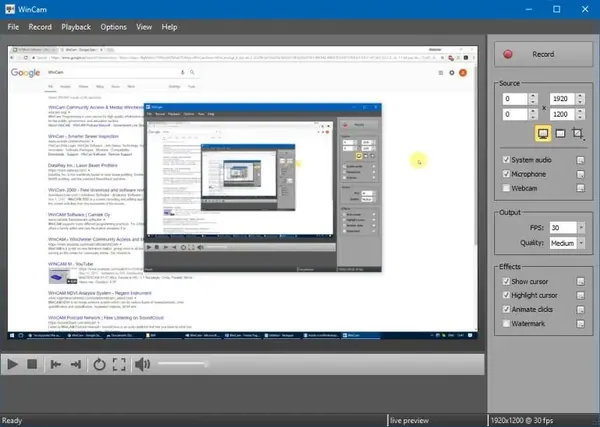 WinCam 4.0 Multilingual + Portable Fast Links | 8/4 Mb WinCam is a screen recording application designed to capture desktop activity, application windows, and selected areas of the screen with a simple workflow. It allows users to create video recordings for tutorials, software demonstrations, online content, and other screen capture tasks. The software is suitable for educators, content creators, professionals, and everyday users who need a lightweight solution for recording screen activity. It supports real-time video processing, audio capture, and customizable recording options while keeping the interface easy to use. With tools for cursor highlighting, audio recording, live preview, and basic editing, WinCam provides a practical environment for creating clear instructional videos, capturing application workflows, and recording media activity directly from the desktop. 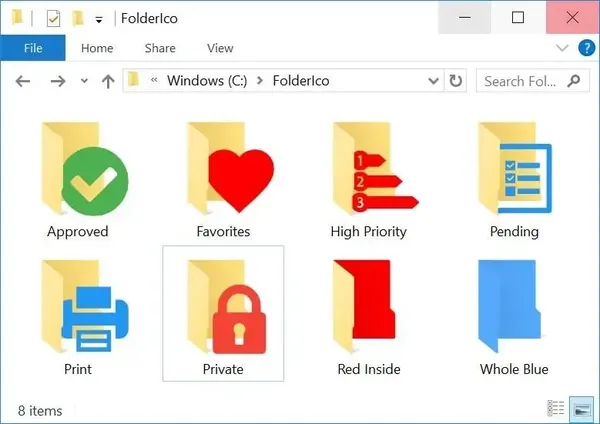 Teorex FolderIco 9.3.3 (x64) Portable Fast Links | 55 Mb Teorex FolderIco is a Windows folder customization utility that helps users organize their files by changing standard folder icons into different colors and visual styles. It provides a simple way to improve folder recognition and create a more structured desktop or file management environment. The software is suitable for users who want a faster visual method to categorize folders by project, priority, or personal organization preferences. By assigning different colors to folders, important directories can be identified more easily without opening each location individually. Designed for simplicity, FolderIco integrates with Windows Explorer and allows folder customization directly from the context menu. The portable edition provides the same functionality without requiring a traditional installation, making it convenient for use on different systems or removable storage devices. 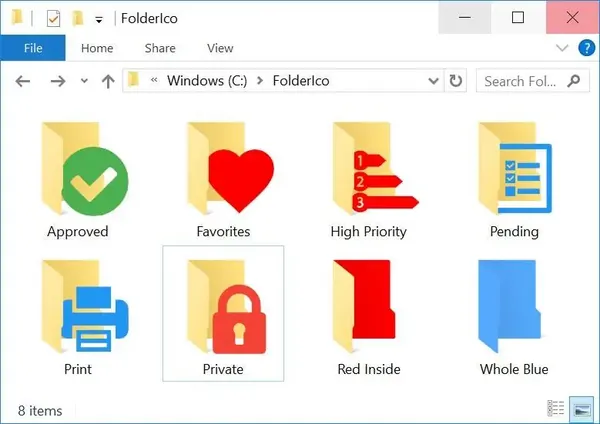 Teorex FolderIco 9.3.3 (x64) | 31 Mb Teorex FolderIco is a Windows customization utility designed to help users personalize folder icons and improve file organization. It allows users to replace standard folder appearances with different colors and icons, making it easier to identify and manage folders visually. The software is suitable for home users, professionals, and anyone who wants a faster way to organize files and directories. By assigning different colors or styles to folders, users can create a visual classification system based on project type, importance, or personal preferences. Integrated directly into Windows Explorer, FolderIco provides a simple workflow that allows folder customization through the context menu. Its lightweight design uses native Windows functionality, helping users organize folders without requiring a separate file management application.  Gilisoft SnapID 8.9 + Portable Fast Links | 587/804 Mb Gilisoft SnapID is an image editing application designed to help users enhance, adjust, and transform digital photos through a collection of editing and creative tools. It provides functions for improving image composition, correcting colors, applying effects, and creating customized visual content. The software is suitable for photographers, designers, and everyday users who want to edit images without complicated workflows. It combines essential editing features such as cropping, resizing, rotation, color adjustments, retouching, and creative effects in a single interface. With support for advanced image processing tasks, Gilisoft SnapID allows users to refine portraits, remove unwanted elements, create collages, add text, and work with layered compositions. Batch processing and multiple export options also help simplify image management for larger collections. 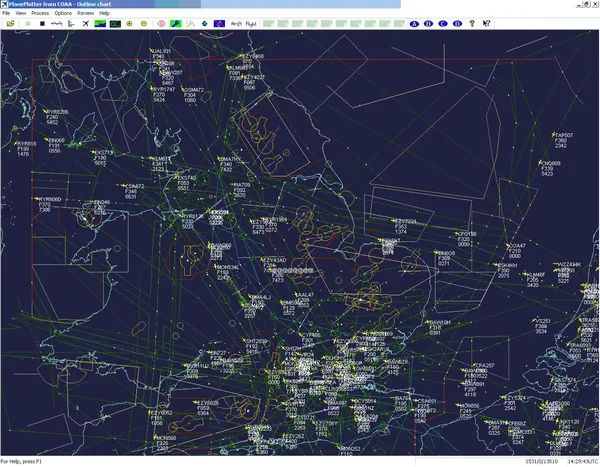 COAA PlaneDescriptionter 6.7.6.9 | 7 Mb COAA PlaneDescriptionter is an aircraft tracking application designed to receive and decode live digital position reports transmitted by aircraft. It processes aviation data messages and displays aircraft locations, altitude information, and flight activity on a radar-style interface. The software is intended for aviation enthusiasts, radio monitoring users, and anyone interested in analyzing live aircraft transmissions. It works with supported digital aviation message formats, allowing users to observe nearby aircraft activity and review received communication data. Using decoded reports from sources such as ACARS, ADS-B, and HFDL, the application can present aircraft movements on charts, save received information for later analysis, and integrate additional mapping options. It provides tools for monitoring aviation traffic through compatible receivers and data sources. 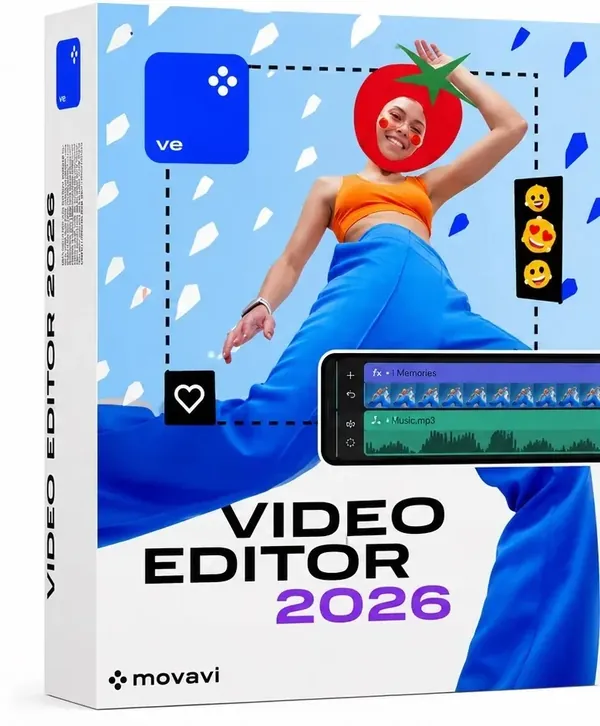 Movavi Video Editor 26.18.1 (x64) Multilingual Portable Fast Links | 805 Mb Movavi Video Editor is a video editing application designed to help users create and enhance videos through an accessible editing workflow. It provides essential tools for cutting clips, combining footage, improving audio, applying visual effects, and preparing finished projects for sharing. The software is suitable for content creators, students, educators, marketers, and home users who need an easy-to-use solution for video production. Its interface allows users to edit videos without requiring advanced technical knowledge while still providing a wide range of creative tools. With support for modern editing workflows, the application allows users to work with video clips, audio tracks, titles, transitions, color adjustments, and visual enhancements. It also includes automated tools that simplify common editing tasks and help users create polished results more efficiently. |

 :
:
