

 :
:
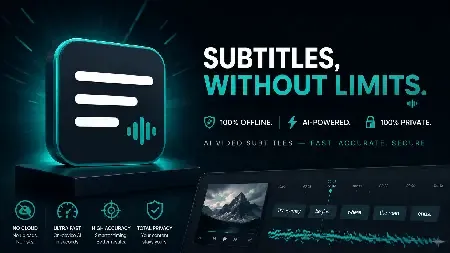
Offline Subtitle Studio AI 1.0.3 + Portable Fast Links | 1.28 / 1.22 GB
Offline Subtitle Studio AI is a subtitle creation and editing application that generates accurate captions for video and audio content entirely on your local computer. Built around offline AI speech recognition technology, the software allows users to transcribe media files, refine subtitle timing, customize visual styles, and export subtitles in multiple formats without sending any data to external servers.
Designed for content creators, video editors, educators, podcasters, and privacy-focused professionals, the application processes all media directly on your Windows PC. Users can quickly generate subtitles, review and edit caption entries in an intuitive cue editor, and export results as standard subtitle files or permanently render them into a new video.
The software includes a compact AI model for immediate offline operation after installation. Additional speech recognition models can be downloaded once and used locally thereafter. Processing is available through CPU mode by default, with optional NVIDIA CUDA acceleration for faster performance on compatible systems.
Key Features:
Ideal For:
System Requirements
Windows 10/11 (build 17763+)
Home Page
- Generate subtitles entirely offline using AI speech recognition
- Local processing keeps media files private
- Bundled model ready for first-time offline use
- Optional larger AI models available for download
- CPU processing with optional NVIDIA CUDA support
- Word-level timing for more natural subtitle placement
- Editable subtitle cue table for corrections and adjustments
- Modify text, timing, and caption structure easily
- Batch processing support for multiple media files
- Create and manage ASS subtitle style presets
- Customize font, size, color, outline, and positioning
- Export subtitles to SRT, VTT, TXT, and ASS formats
- Save subtitle sidecar files for media players
- Embed subtitle tracks into supported video files
- Burn styled subtitles into newly rendered videos
- Original source files remain unchanged
- Compatible with common video and audio formats
- No subscription, account registration, or advertisements
- No telemetry or cloud-based processing
Ideal For:
- YouTube creators
- Video production professionals
- Podcasters
- Online course developers
- Freelancers and agencies
- Accessibility captioning projects
- Social media content creators
- Privacy-conscious users
- Anyone requiring offline subtitle generation on Windows
System Requirements
Windows 10/11 (build 17763+)
Home Page
https://manxlr.click/app-development/offline-subtitle-studio-ai
Buy Premium From My Links To Get Resumable Support,Max Speed & Support Me
KatFile
6eihr.Offline.Subtitle.Studio.AI.1.0.3.Port.rar.html
6eihr.Offline.Subtitle.Studio.AI.1.0.3.rar.html
Rapidgator
6eihr.Offline.Subtitle.Studio.AI.1.0.3.Port.rar.html
6eihr.Offline.Subtitle.Studio.AI.1.0.3.rar.html
FreeDL
6eihr.Offline.Subtitle.Studio.AI.1.0.3.Port.rar.html
6eihr.Offline.Subtitle.Studio.AI.1.0.3.rar.html
Links are Interchangeable - No Password - Single Extraction