

 :
:
Published 8/2022
MP4 | Video: h264, 1280x720 | Audio: AAC, 44.1 KHz
Language: English | Size: 1.51 GB | Duration: 3h 53m
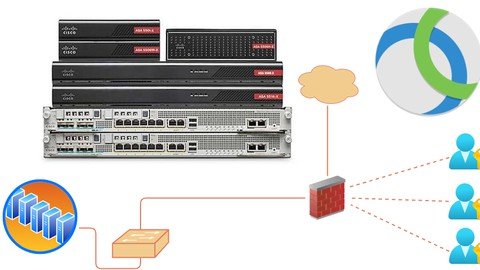
Cisco AnyConnect VPN
What you'll learn
Introduction to Cisco's AnyConnect VPN technology
Introduction to AnyConnect SSL VPN configuration on ASA firewall
Advanced configuration of Cisco AnyConnect VPN on ASA firewall
Dynamic Access policies with AnyConnect VPN
Requirements
Basic knowledge of working on Cisco's ASA firewall using CLI and ASDM
Description
Most organizations have a remote work force these days, COVID-19 has introduced a hybrid work culture in our society, where organizations are benefiting themselves by saving the infrastructure cost as their employees work from home.Remote access VPN technology has gained popularity as the size of remote work forces have increased. There are many vendors in market who provide Remote access VPN service, however only few of them are on the top of list.Cisco AnyConnect Remote access VPN is among the most favorite as it has the cisco's trusted technology, standards and it is easy to use for end users and at the same time easy to configure for network admins.This course is intended for network administrators who want to learn about Cisco AnyConnect VPN functionality and features.I have designed this course in such a way that concepts are explained in most simple way possible for the audience.There are theory lectures which explain the concept and then there are LABs and test scenarios to cover the actual implementation in the production environment.We will also do debug and troubleshoots to learn identify and resolve problems. This course covers following topics.Introduction to Remote access VPNHardware and software requirements to run AnyConnect VPNLicense requirements to run AnyConnect VPNSSL based AnyConnect VPN configuration CLI and ASDMNAT adjustments for AnyConnect trafficSplit Tunnel conceptTraffic filtersExternal authentication Radius/LDAPDynamic Access Policies and its test scenario
Overview
Section 1: Cisco AnyConnect VPN
Lecture 1 Introduction
Lecture 2 Hardware and software requirements for AnyConnect VPN
Lecture 3 License Requirements to run AnyConnect VPN on ASA Firewall
Lecture 4 Configure SSL based AnyConnect VPN on ASA firewall using CLI
Lecture 5 Configure SSL based AnyConnect VPN on ASA firewall using ASDM
Lecture 6 NAT adjustment for AnyConnect traffic
Lecture 7 Selected vs. Internet traffic via AnyConnect VPN (Split Tunnel)
Lecture 8 Traffic filters
Section 2: External Authentication
Lecture 9 Authenticating AnyConnect users via external authentication server (Radius)
Lecture 10 Authenticating AnyConnect users via external authentication server (LDAP)
Section 3: Dynamic Access Policies (DAP)
Lecture 11 Introduction to Dynamic Access Policies
Lecture 12 Test Scenario - Grant access/authorization based on Radius reply attribute
Lecture 13 Test Scenario - Grant access/authorization based on LDAP group membership
Lecture 14 Test Scenario - Verify file presence on system before granting access
Network Administrators,Network Engineers,Datacenter Engineers
Homepage
https://www.udemy.com/course/cisco-anyconnect-vpn/
https://rapidgator.net/file/6807bbef237bfcaf06d2cf972059a1e3/rmyuc.Cisco.Anyconnect.Vpn.2022.part1.rar.html
https://rapidgator.net/file/8c3bc8c438f6d36b036abf26360567af/rmyuc.Cisco.Anyconnect.Vpn.2022.part2.rar.html

https://uploadgig.com/file/download/0dA2055993b3432b/rmyuc.Cisco.Anyconnect.Vpn.2022.part1.rar
https://uploadgig.com/file/download/a701ad6391a1429a/rmyuc.Cisco.Anyconnect.Vpn.2022.part2.rar

https://nitroflare.com/view/06B371702C0A74B/rmyuc.Cisco.Anyconnect.Vpn.2022.part2.rar
https://nitroflare.com/view/7494E1EBCBC853C/rmyuc.Cisco.Anyconnect.Vpn.2022.part1.rar
Links are Interchangeable - No Password - Single Extraction