

 :
:
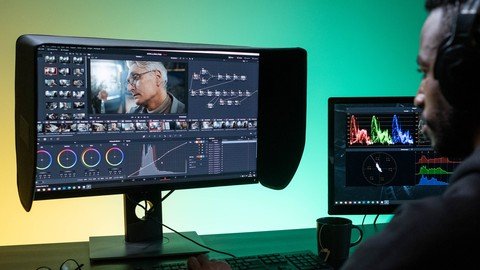
Last updated 1/2022
MP4 | Video: h264, 1280x720 | Audio: AAC, 44.1 KHz
Language: English | Size: 748.49 MB | Duration: 1h 18m
Lightworks is a free non-linear editing system for editing and mastering digital video works
What you'll learn
Video Editing for YouTube, Social Media and Commercial Video Editing
Free Video Editor
Import your Multimedia Content
Edit and remove the unwanted frames
Add Essential Video Effects and Transitions
Chromakeying Effect
Requirements
Computer
Internet connection
Description
Welcome to the Course 'Certificate Course on Video Editing with Lightworks 2022'. Lightworks is a non-linear editing system (NLE) for editing and mastering digital video. It is a free video editing software.In September 2020, a new company, LWKS Software Ltd, founded in August of the same year by two members of the development team, took ownership of Lightworks, as well as QScan AQC software. the agreement also mentions Key members of the development teams of both software joining the new company. In September 2020, a new company, LWKS Software Ltd, founded in August of the same year by two members of the development team, took ownership of Lightworks, as well as QScan AQC software. the agreement also mentions Key members of the development teams of both software joining the new company.You can able to do the following project works:Create a simple video editing project for your food-making theme.Shoot anyone product review video and edit with lightworks 2022Perform the Green Screen Removal for the video.Connect the YouTube with lightworks and upload directly from the software.In this class you are going to learn the following lessons:Download the SoftwareInstall the Lightworks 2022 Video EditorSystem Settings of LightworksProject Setup in LightworksUser Interface of the ProjectProject ContentsWorking with TimelineManage the Timeline ContentInsert and Manage Audio FileVideo Effects - Color CorrectionsDVE Video Transformation EffectsGreen Screen RemovalMatte Video EffectsApply Video TransitionsVideo Filter EffectsText and Text Effects in LightworksAudio Editing and Effects in LightworksExport the Project as Video File
Overview
Section 1: Introduction
Lecture 1 Course Introduction
Lecture 2 Download the Software
Lecture 3 Install the Lightworks 2022 Video Editor
Section 2: User Interface of Lightworks
Lecture 4 System Settings of Lightworks
Lecture 5 Project Setup in Lightworks
Lecture 6 User Interface of the Project
Section 3: Video Editing with Lightworks
Lecture 7 Project Contents
Lecture 8 Working with Timeline
Lecture 9 Manage the Timeline Content
Lecture 10 Insert and Manage Audio File
Section 4: Video Editing Techniques and Visual Effects
Lecture 11 Video Effects - Color Corrections
Lecture 12 DVE Video Transformation Effects
Lecture 13 Green Screen Removal
Lecture 14 Matte Video Effects
Lecture 15 Apply Video Transitions
Lecture 16 Video Filter Effects
Section 5: The Post Editing Process
Lecture 17 Text and Text Effects in Lightworks
Lecture 18 Audio Editing and Effects in Lightworks
Lecture 19 Export the Project as Video File
YouTube Video Makers,Video Editor,Learners,Looking for course for Free Video Editing Software,Any one can learn this course.
Homepage
https://www.udemy.com/course/certificate-course-on-video-editing-with-lightworks-2022/
https://rapidgator.net/file/87493049a11cdac3ca508a94ed4855ef/ixfkx.Certificate.Course.On.Video.Editing.With.Lightworks.2022.rar.html

https://uploadgig.com/file/download/E59b95a3fA5d8702/ixfkx.Certificate.Course.On.Video.Editing.With.Lightworks.2022.rar

https://nitroflare.com/view/E26B5047109B4E6/ixfkx.Certificate.Course.On.Video.Editing.With.Lightworks.2022.rar
Links are Interchangeable - No Password - Single Extraction