

 :
:
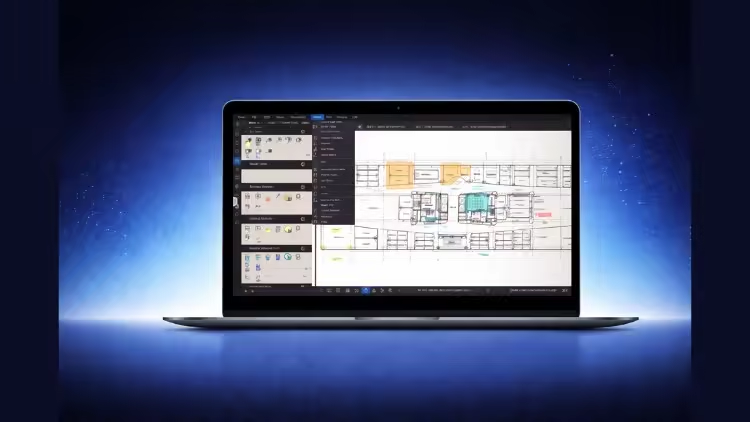
Free Download Bluebeam Revu Quantity Takeoff & Excel Workflow for QS
Published 12/2025
MP4 | Video: h264, 1920x1080 | Audio: AAC, 44.1 KHz, 2 Ch
Language: English | Duration: 4h 22m | Size: 4.5 GB
Learn quantity estimation and takeoff in Bluebeam Revu and organize quantities in Excel using custom columns and formula
What you'll learn
Perform accurate quantity takeoff in Bluebeam Revu using area, volume, length, and count tools on real construction drawings.
Organize takeoff data using layers, subjects, and markups to keep quantities clean, structured, and ready for export.
Export quantities from Bluebeam to Excel and prepare professional worksheets using custom columns and reusable formulas.
Apply a real-world Bluebeam-to-Excel workflow used by quantity surveyors and estimators for practical construction projects.
Requirements
No prior Bluebeam or quantity takeoff experience is required. Basic knowledge of construction drawings and a computer with Bluebeam Revu and Microsoft Excel installed is sufficient.
Description
Quantity estimation and takeoff are essential skills for anyone working in civil engineering and construction. This course is designed to help you learn practical quantity estimation and takeoff using Bluebeam Revu, and then organize your quantities properly in Excel for real project use.The course is suitable for beginners, fresh graduates, and professionals who want a clear and structured workflow without unnecessary complexity. You will start by learning the Bluebeam Revu interface and correct project setup, including scaling, which is critical for accurate results.You will then move step by step through all major takeoff tools such as length, area, volume, count, and dynamic fill. These tools are applied on real drawings to perform quantity takeoff for foundations, columns, grade beams, slabs, stairs, brickwork, plaster, and tiles.To strengthen learning, practice questions are included in the course. These allow you to apply what you have learned, test your understanding, and build confidence in performing takeoff independently.After completing takeoff in Bluebeam, the course guides you on how to export quantities to Excel and prepare clean worksheets using custom columns and formulas. This helps you organize data professionally and prepares you for estimation, BOQs, or further analysis.The focus of this course is on correct workflow, clarity, and real-world application, following the same approach used by quantity surveyors and estimation engineers in professional practice.What You Will Learn• How to perform quantity estimation and takeoff using Bluebeam Revu• How to use length, area, volume, count, and dynamic fill tools correctly• How to apply takeoff on real construction drawings• How to organize quantities using layers and markups• How to export takeoff data from Bluebeam to Excel• How to prepare Excel sheets using custom columns and formulas• How to practice and verify your understanding using included practice questions• How to follow a professional Bluebeam to Excel estimation workflow
Who this course is for
Professionals new to Bluebeam Revu who want a clear, step-by-step workflow without jumping into full BBS or advanced scheduling.
Site engineers and planning engineers who need to extract quantities from drawings and organize them professionally in Excel.
Quantity surveyors and estimators looking to improve accuracy and speed in takeoff and Excel-based workflows.
Civil engineering students and fresh graduates who want to learn practical quantity takeoff using Bluebeam Revu and Excel.
Homepage
https://www.udemy.com/course/bluebeam-revu-quantity-takeoff-excel-workflow-for-qs/
Buy Premium From My Links To Get Resumable Support,Max Speed & Support Me
DDownload
zqixu.Bluebeam.Revu.Quantity.Takeoff..Excel.Workflow.for.QS..part1.rar
zqixu.Bluebeam.Revu.Quantity.Takeoff..Excel.Workflow.for.QS..part2.rar
zqixu.Bluebeam.Revu.Quantity.Takeoff..Excel.Workflow.for.QS..part3.rar
zqixu.Bluebeam.Revu.Quantity.Takeoff..Excel.Workflow.for.QS..part4.rar
zqixu.Bluebeam.Revu.Quantity.Takeoff..Excel.Workflow.for.QS..part5.rar
Rapidgator
zqixu.Bluebeam.Revu.Quantity.Takeoff..Excel.Workflow.for.QS..part1.rar.html
zqixu.Bluebeam.Revu.Quantity.Takeoff..Excel.Workflow.for.QS..part2.rar.html
zqixu.Bluebeam.Revu.Quantity.Takeoff..Excel.Workflow.for.QS..part3.rar.html
zqixu.Bluebeam.Revu.Quantity.Takeoff..Excel.Workflow.for.QS..part4.rar.html
zqixu.Bluebeam.Revu.Quantity.Takeoff..Excel.Workflow.for.QS..part5.rar.html
FreeDL
zqixu.Bluebeam.Revu.Quantity.Takeoff..Excel.Workflow.for.QS..part1.rar.html
zqixu.Bluebeam.Revu.Quantity.Takeoff..Excel.Workflow.for.QS..part2.rar.html
zqixu.Bluebeam.Revu.Quantity.Takeoff..Excel.Workflow.for.QS..part3.rar.html
zqixu.Bluebeam.Revu.Quantity.Takeoff..Excel.Workflow.for.QS..part4.rar.html
zqixu.Bluebeam.Revu.Quantity.Takeoff..Excel.Workflow.for.QS..part5.rar.html
No Password - Links are Interchangeable