

 :
:
Free Download Digging Into The Depth Map: One of Resolve 18's Best New Features by Joey D'Anna
DaVinci Resolve 18 brought several groundbreaking features, but one that stands out for color grading professionals is the new Depth Map ResolveFX plug-in. In this article, we'll dive into what the Depth Map is, how it works, and how you can leverage it in your day-to-day grading workflow.
What Is a Depth Map?
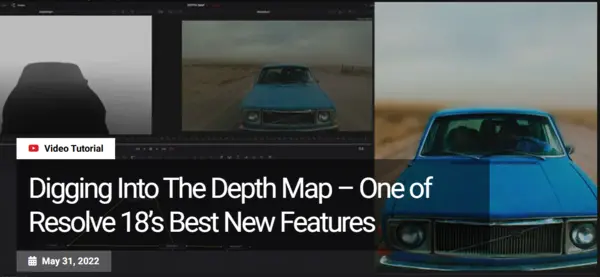
A Depth Map is a grayscale representation of an image's 3D depth, generated through the Depth Map ResolveFX plug-in. Traditionally, depth maps are rendered from CG assets and known geometry, often referred to as Z-depth passes. These depth maps use grayscale to indicate the relative distance of objects within the image:
- White represents objects closest to the camera.
- Black represents objects farthest from the camera.
This grayscale depth map can be used for a variety of purposes, such as creating mattes for color grading or for further manipulation in other depth-aware tools.
No Geometry Needed – Just Pure Image Processing
What makes the new Depth Map plug-in particularly powerful is that it doesn't require any 3D geometry, camera metadata, or parallax information. Using machine learning algorithms, the plug-in can generate depth maps directly from the source image. This opens up new possibilities for creators working with standard footage.
Customizability – The Key to Artistic Control
While machine learning-based tools save time, they cannot replace the artist's touch. The Depth Map plug-in allows extensive customizability once the initial depth map is generated. You can refine and adjust the output with a variety of controls to create more narrow or broad grayscale mattes. Additionally, DaVinci Resolve's node-based system gives you full flexibility to integrate traditional color grading tools to further enhance the map.
In This Insight, You Will Learn:
- Understanding Depth Map – What it is and how it works.
- How to Achieve a Good Result – Tips for ensuring quality when using Depth Map in your footage.
- Using Depth Map in a Node Structure – How to integrate the map into your color grading workflow.
- Foreground and Background Isolation – Techniques for isolating regions for more refined grading.
- Building Volumetric Effects – How to use Depth Map for creating stunning volumetric effects.
- Simulating Depth of Field Blur – Using Fusion to simulate realistic depth of field blur.
Content Source: Mixinglight – Digging Into The Depth Map
Category: Color Grading, DaVinci Resolve, Video Editing
AusFile
cpzqe.Mixinglight..Digging.Into.The.Depth.Map..One.of.Resolve.18s.Best.New.Features.rar.html
TakeFile
cpzqe.Mixinglight..Digging.Into.The.Depth.Map..One.of.Resolve.18s.Best.New.Features.rar.html
Rapidgator
MixinglightDiggingIntoTheDepthMapOneofResolve18sBestNewFeatures.html
Fikper
cpzqe.Mixinglight..Digging.Into.The.Depth.Map..One.of.Resolve.18s.Best.New.Features.rar.html
Links are Interchangeable - No Password - Single Extraction