

 :
:
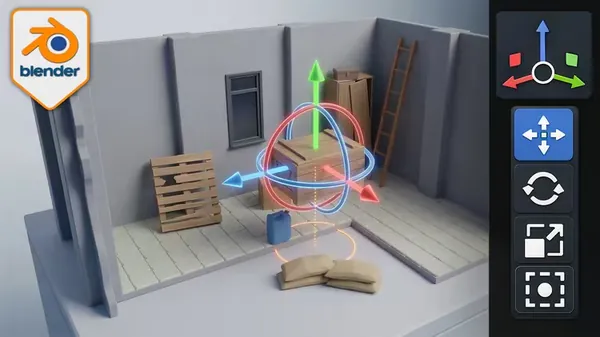
Blender Essentials for Beginners Transform and Gizmo Basics
Published 6/2026
MP4 | Video: h264, 1920x1080 | Audio: AAC, 44.1 KHz, 2 Ch
Language: English | Duration: 2h 9m | Size: 4.72 GB
Master Move, Rotate, Scale, origins, pivots and transform orientations in Blender — free practice asset pack included.
What you'll learn
Move, rotate and scale objects precisely using gizmos, axis constraints and plane locks
Use the combined Transform gizmo and the G, R, S shortcuts with numeric input for fast, exact edits
Understand and set object origins with the 3D Cursor, Center of Mass and Affect Only Origins for correct rotation and placement
Control size accurately with Scale vs Dimensions and apply transforms with Ctrl A for a clean default state
Switch between Global, Local, Normal, Cursor, Gimbal, View and Parent transform orientations
Choose the right Transform Pivot Point: Median, Bounding Box, Individual Origins, 3D Cursor and Active Element
Use the Item (N) panel to enter exact Location, Rotation and Scale values and lock axes
Diagnose and fix common transform problems: offset origins, negative scale, broken mirrors and parenting
Requirements
A computer running Blender (Blender 5.x recommended)
No prior experience required, though basic Blender viewport navigation will help you keep up
A three-button mouse with a scroll wheel is recommended
Optional: download the free resource pack included with this course to follow along with the practice scenes
Description
Can you move an object in Blender, but never quite where you want it?
You select something, hit a key, and it shoots off at a weird angle, scales unevenly, or rotates around the wrong point entirely. Moving, rotating and scaling are the things you doconstantly in Blender — and until they feel precise and predictable, every project is a fight.
This course makes them second nature.
Blender Essentials: Transform and Gizmo Basics is a hands-on, beginner-friendly course that takes you from fumbling with the gizmo to controlling objects with total precision. Across 17 focused lessons you'll master the Move, Rotate and Scale tools, axis and plane constraints, the combined Transform gizmo, and the lightning-fast G / R / S shortcuts with numeric input.
But precise transforms are about more than tools — they're aboutorigins, pivots and orientations. You'll finally understand object origins (and how to set them with the 3D Cursor, Center of Mass, and Affect Only Origins), the difference between Scale and Dimensions, when to apply transforms with Ctrl A, and how Global, Local, Normal, Cursor and Parent orientations change everything. You'll choose the right Transform Pivot Point every time, and you'll learn todiagnose and fix the transform problems that trip up every beginner — offset origins, negative scale, broken mirrors and parenting gone wrong.
To practice on, this course includes a FREE resource pack — a post-apocalyptic modular kit (walls, floors, ceilings, pillars, crates, pallets, gas canisters, a rusty ladder, broken cabinet and more) set up as a small isometric scene, so you're learning on real assets, not just default cubes.
By the end you'll be able to
- Move, rotate and scale anything in Blender with exact, predictable control
- Set object origins and pivot points correctly for clean rotation and game-ready assets
- Use every transform orientation and fix the issues that break beginners' scenes
This is the foundation every modeller, environment artist and game artist needs. Get transforms right, and everything you build afterwards gets easier.
No experience beyond basic Blender navigation needed — it's free, so install it and press play.
Ready to take real control of your objects? Enroll now.
Who this course is for
Beginners who can navigate Blender but struggle to move, rotate and scale objects with precision
Self-taught artists who want to finally understand object origins, pivot points and transform orientations
Aspiring game and environment artists preparing clean, correctly-oriented assets for engines and modular kits
Anyone who wants a confident, predictable workflow for positioning and aligning objects in Blender
Buy Premium From My Links To Get Resumable Support,Max Speed & Support Me
Rapidgator
tymuv.Blender.Essentials.for.Beginners.Transform.and.Gizmo.Basics.part1.rar.html
tymuv.Blender.Essentials.for.Beginners.Transform.and.Gizmo.Basics.part2.rar.html
tymuv.Blender.Essentials.for.Beginners.Transform.and.Gizmo.Basics.part3.rar.html
tymuv.Blender.Essentials.for.Beginners.Transform.and.Gizmo.Basics.part4.rar.html
tymuv.Blender.Essentials.for.Beginners.Transform.and.Gizmo.Basics.part5.rar.html
AlfaFile
tymuv.Blender.Essentials.for.Beginners.Transform.and.Gizmo.Basics.part1.rar
tymuv.Blender.Essentials.for.Beginners.Transform.and.Gizmo.Basics.part2.rar
tymuv.Blender.Essentials.for.Beginners.Transform.and.Gizmo.Basics.part3.rar
tymuv.Blender.Essentials.for.Beginners.Transform.and.Gizmo.Basics.part4.rar
tymuv.Blender.Essentials.for.Beginners.Transform.and.Gizmo.Basics.part5.rar
No Password - Links are Interchangeable